Questa pagina non è ancora nella sua lingua. Sta leggendo il testo in inglese.
Knowledge base
Install an extension
Files and a switch per profile
The files of an extension lie on this computer once and serve the profiles on it. The switch belongs to one profile, so an extension enabled for one account stays off for the rest.
Install downloads the extension from the Chrome Web Store and checks its signature, and enabling records your choice for the profile. The counter at the top right shows how many extensions the chosen profile has on, your own included, and the limit.
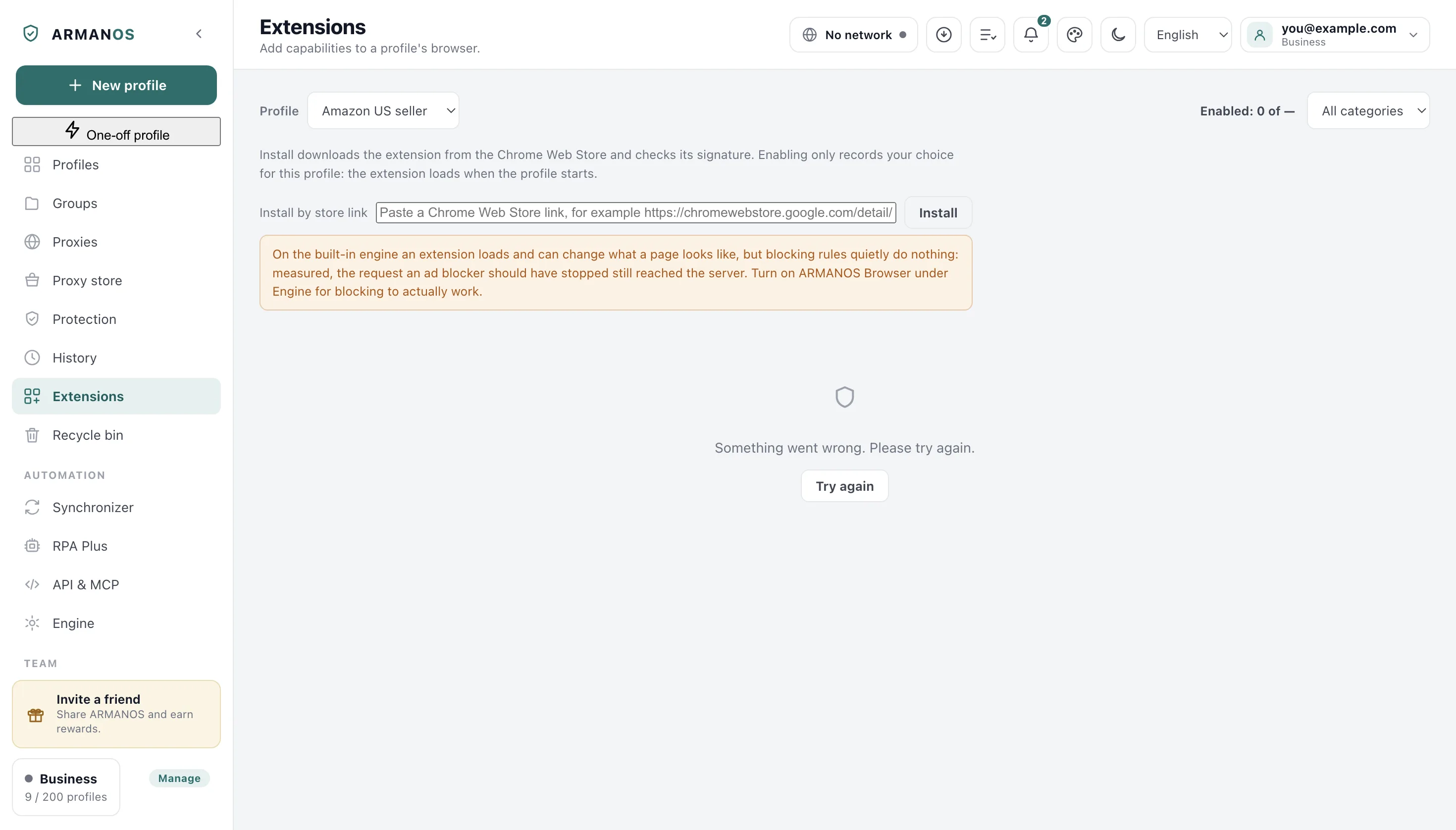
From the catalog
The cards are ready entries from the Chrome Web Store, sorted by name. Enable on a card whose files are not here yet installs them first and then switches the extension on.
- 1
Open the Extensions tab
In the left column, under History.
- 2
Choose the profile
The Profile list at the top of the screen.
- 3
Find the card
The All categories list at the top right narrows the cards.
- 4
Press Enable
The button at the bottom right of the card.
- 5
Launch the profile
The extension loads when the profile starts.
By a store link
An extension outside the catalog comes in through Install by store link, the field under the note. Paste the address of its page in the Chrome Web Store and press Install next to the field.
A link that is not an extension page of the store is turned down at once, before anything downloads. The file itself is checked for the store signature and for being the extension the link names, and it has to be a third-generation extension.
Once it is in place, a card with the extension's own name joins the others, and you enable it for a profile the same way.
From a file
A downloaded extension file goes in through Install from a file (.crx or .zip), the button under the link field.
A .crx file must pass its signature check, and a .zip archive may hold the whole extension folder.
Only third-generation extensions are accepted, and the new card, marked Installed from a file, is enabled for a profile the same way.
From a folder you already have
Unpacked files go into the extensions folder by hand. Its full path is written under Extensions folder on this computer, and Open folder shows it in your file manager, creating it first if it is not there yet.
For a catalog extension the folder inside must carry exactly the name shown on its card, such as ublock-origin-lite. A folder under another name that holds a third-generation extension gets a card of its own when you open the screen again. If the folder name has capitals, spaces or non-Latin letters, its card offers Rename to a usable name in place of Enable, such as Rename to my-wallet for My Wallet.
In many profiles at once
Select profiles, press Extensions above the list, then Switch on for all or Switch off for all next to the extension. The window names the profiles it did not reach, and why.
Switching off and deleting
Disable on the card switches the extension off for the chosen profile, and its files stay for the others. Delete asks first, then removes the folder from this computer and switches the extension off for all profiles; when you are signed in, switching off a catalog extension reaches the account as well.
When the version on the card differs from the one installed, the card offers Update to with the card's version. Otherwise the same button reads Reinstall.
When a change takes effect
An extension loads when the profile starts. On the built-in engine a profile that is already open picks up the change at once, and in ARMANOS Browser it waits for the next launch.
If the built-in engine is the one that will start, a warning on this screen points to ARMANOS Browser under Engine. It says an extension works only in part there: its page scripts run and ARMANOS applies most of its blocking rules, but it has no button or window.
The choice travels and the files stay
What this does not do
- It does not check a signature on a .zip archive, since it has none, so install from an archive only what you trust.
- It does not accept second-generation extensions. Chromium no longer runs them, and the program turns them down at install and at launch.
- It does not download extensions from sites other than the Chrome Web Store.
- It does not carry files to your other computer. For an extension installed by link, from a file or by hand, the choice does not travel either.
Where this is decided
Each claim above is one place in the code and one stand.
- A store link is recognised and another address is turned down, and an unsigned or different file is not installed
- apps/desktop/test/extension-install.js
- A .crx file installs by its signature and a tampered one is refused, a .zip installs with a folder inside too, and what comes from a file works in a profile
- apps/desktop/test/расширение-из-файла.js
- Your own extension stays enabled after a redraw and is not sent to the account, and Delete switches a catalog extension off in the account too
- apps/desktop/test/расширения-свои-и-аккаунт.js
- The choice goes to the account and comes back on another computer
- apps/desktop/test/ext-choice-travels.js
- Delete wipes the extension folder from this computer
- apps/desktop/test/ext-remove.js
- Switching off reaches a profile already open on the built-in engine
- apps/desktop/test/выключение-расширения-доходит-до-окна.js
- An extension gets no access to files on the disk in either engine
- apps/desktop/test/extension-paths.js
Questions
- I enabled it and the card says Files missing.
- The switch is on, but its files are not on this computer. For a catalog extension or one installed by link, press Install on the same card, and the article on missing files covers the other causes.
- How many extensions can one profile have?
- Enabled at the top right shows how many extensions are on and the limit. Past the limit, Enable names the limit as a number and asks you to turn one off first.
- Where exactly are the files?
- In the folder shown under Extensions folder on this computer, one folder per extension. A catalog extension lies under the name on its card, one installed by link under a name that starts with store-, and one installed from a file under a name that starts with file-.
- Can an extension read my other profiles?
- It is loaded without access to files on your disk in both engines, so the cookies and logins other profiles keep there are closed to it.
- The profile opened without the extension.
- At launch the program names the extension it refused and the reason. The usual two are an old standard and a broken description file, and the article on it walks through both.
Next to this
Files missing
When an enabled extension has no folder on this computer.
Extension not loaded
When a profile starts without it.
The extension could not be put in place
When Install stops at the last step.
Could not open the extensions folder
When Open folder brings up nothing.
Extensions in two clicks
The whole feature, not one procedure.
Extension updates
Automatic.
Try it on one profile
The free plan gives two profiles, with no time limit and no card.