Safe pace
Safe pace and the edges of protection
- 7 days, 20% to 100%
- Warm-up
- Pages opened, per profile
- Counted by the app
- None
- Actions blocked
- 3 to 14 seconds, random
- Pause before each bulk launch
Ceilings by scenario
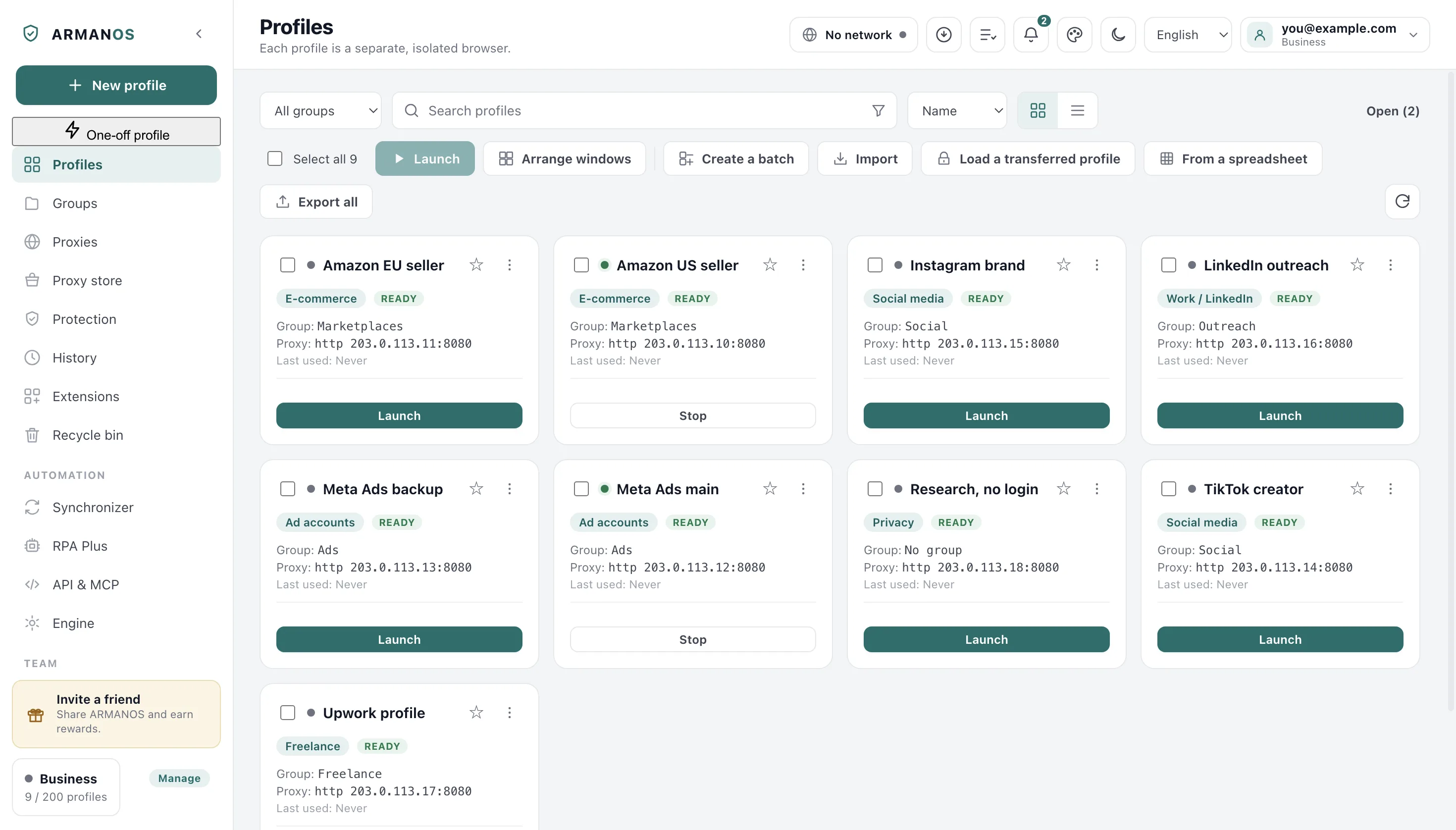
When you create a profile you pick a scenario, and it sets the default opening address, the tracker lists and the daily numbers this page is about. You can change it later: profile menu > Edit.
There are two kinds of number. One is a ceiling for the whole profile, counted in pages opened per day; the other is the Safe daily ceiling for single actions, such as invitations or budget changes.
These are our defaults, not rules published by any platform. No site handed us a figure, and the Privacy scenario has no ceiling at all, because ordinary browsing without tracking is not an account game.
| Scenario | Pages a day | Per-action ceilings | Pages on day 1 |
|---|---|---|---|
| Social media | 200 | 10 actions | 40 |
| E-commerce | 120 | 5 actions | 24 |
| Ad accounts | 40 | 5 actions | 8 |
| Freelance | 40 | 6 actions | 8 |
| Privacy | no ceiling | none | no ceiling |
A new profile starts slow
The ramp is seven numbers, from a fifth on day one to the full ceiling from day seven on. Day one is the day you created the profile.
A session that appears today and does a full day of work today is a pattern. Growing over a week looks closer to a person settling into a new account.
The page ceiling and every per-action number grow alike, and a ramped number never rounds down to zero. The card shows you Warm-up day, then how long ago the profile was created, because that is the age of the ARMANOS profile and not of the account behind it.
- Day 1
- 20% · social: 40 of 200
- Day 2
- 35% · 70
- Day 3
- 50% · 100
- Day 4
- 65% · 130
- Day 5
- 80% · 160
- Day 6
- 90% · 180
- Day 7 and after
- 100% · 200
The same fractions sit on every per-action number, with one rule on top: a ramped ceiling never becomes zero.
The app counts pages
One counted action is one top-level page load in a profile window. Open a page in a profile and one is added to that profile's day.
Counted
A page you open in the profile window: an address you type, a link you follow, a redirect that lands somewhere new.
Not counted
Frames inside a page, images, background requests, and a tab you leave open and read for an hour.
Not counted either
The hidden window behind the fingerprint self-test, which never reaches your daily count.
Reset
At midnight by this computer's clock. Deleting a profile permanently removes its counter with it.
Who reports a count and where it lives
A page cannot inflate a counter that is not its own: a page is counted to the profile whose window it was opened in, never to the one named inside the message. On ARMANOS Browser the profile's protection extension posts the counts, and a single report can add at most 5000.
The app keeps your count in memory, writes it to a file in its data folder at most once a second, and flushes it when you quit. The file carries its own date, and on a new day you start from zero.
Per action numbers are advice
ARMANOS is a browser. It sees that you opened a page, not that the page was an invitation being sent or a budget being changed.
Counting those would mean reading each platform's page structure and keeping a scraper per site. Every layout change would break the count in silence, and a silently wrong number is worse than no number at all.
So you see the per-action ceilings, but the app does not tally them. Each row reads today's ramped number and the full one, with a warning at N threshold under them, uncoloured and uncounted, and the lowest ceilings tell you where the risk sits: payment details, payout details and account switching.
| Action | Scenario | Full day | Day 1 |
|---|---|---|---|
| Invitations | Social media | 15 | 3 |
| Likes | Social media | 120 | 24 |
| Posts | Social media | 15 | 3 |
| New listings | E-commerce | 10 | 2 |
| Review requests | E-commerce | 40 | 8 |
| Budget changes | Ad accounts | 4 | 1 |
| Payment edits | Ad accounts | 1 | 1 |
| Proposals | Freelance | 10 | 2 |
| Payout edits | Freelance | 1 | 1 |
| Account switches | Social media, e-commerce | 2 | 1 |
Nothing here stops you
The bar under the count is green below 80 percent of today's ceiling, amber from 80, and red at or past it. That is the whole of the enforcement.
Blocking would mean the app deciding for you, on a figure we chose, about an account it knows nothing about. A three-year-old account with a payment history behaves nothing like one opened yesterday.
There is exactly one refusal in this area, and it concerns your machine rather than your accounts: the app can decline to open one more browser. It never closes a window that is already open.
Guidance, not a lock
Launches are spread out
Fifty accounts signing in inside one minute, from one machine, is exactly the shape a platform reads as one script behind all of them. So a bulk launch waits before every opening after the first.
A fixed pause would be a pattern of its own, and an easier one to measure. So the pause is different every time, 3 to 14 seconds, and fifty profiles stretch over several minutes for you.
The queue and what skips it
It sits only in front of opening a browser. Deleting profiles, moving them into a group or exporting them runs with no pause at all, because no site sees any of it.
- 1
The first one opens at once
Waiting before the first launch only leaves you looking at a still screen.
- 2
A random pause
Between 3 and 14 seconds before each following launch, drawn fresh every time.
- 3
A slot check
If the machine is already at its browser limit, the profile waits its turn instead of failing.
- 4
One queue at a time
Every bulk button is disabled while a queue runs, so a second press cannot flatten the spread.
- 5
Cancel lands where you pressed it
Press cancel and the next profile will not open: it is read between profiles and again right after each sleep.
Browsers at once
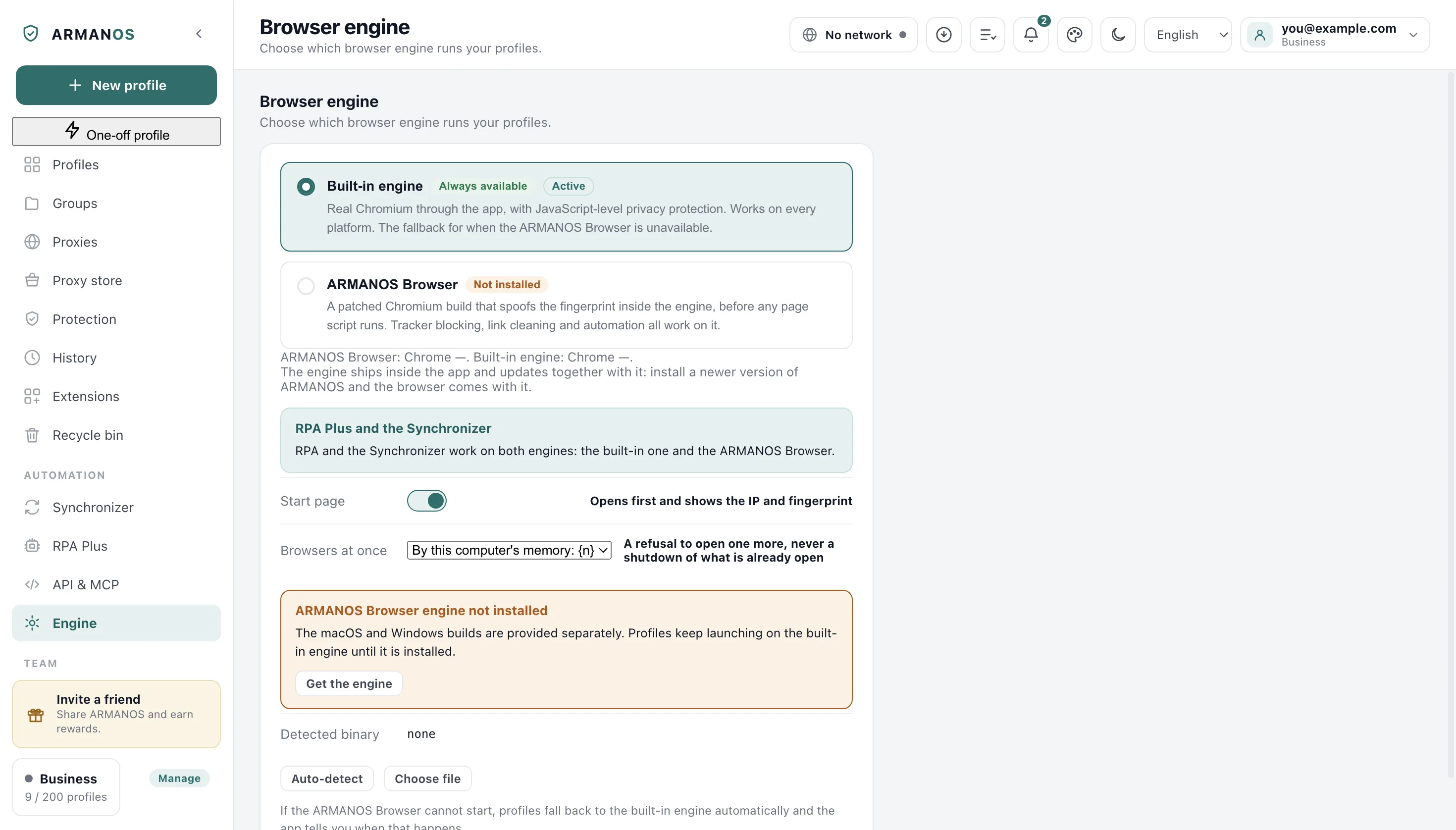
How many browsers to keep open is decided by your machine: total memory in gigabytes, less 3 for the system, 1 per browser, the result kept between 4 and 32. When memory cannot be read the answer is 8.
You can set your own number on the Engine screen, inside the same range, and the screen says which of the two you are looking at.
Two runs firing at once cannot take the same free slot: it goes to whoever asked first. A profile with no slot waits up to 30 minutes, asking every 5 seconds, and then you are told how many opened.
What isolation cannot cover
A separate session and a consistent device remove two reasons out of many. The rest is not in the browser at all, and no setting on this page reaches it.
Pace is the one item on that list where a browser can help, and it helps only by putting a number in front of you. The rest is yours to manage, and it is where accounts are actually linked to each other.
Five links outside the browser
Behaviour
The same actions at the same hours, the same message text in twenty inboxes. Platforms compare accounts to each other.
Phone numbers
One number verifying ten accounts links those ten on the platform's side. Nothing in a browser touches it.
Payment and payout details
The strongest link of them all. On ad accounts and marketplaces the card is the identity, whatever profile it sits in.
Account age and history
Age, past activity and standing belong to the platform, not to your machine.
What you publish
The same photos, the same bio and the same links across accounts connect them with no technical signal at all.
What this does not do
- The app never counts platform actions. Invitations, likes, listings and budget changes are shown as recommended numbers and none of them is tallied. Only pages opened are counted.
- The ceilings are not editable. They are the defaults that ship with the app, one set per scenario, and there is no field for your own figure.
- The warn threshold each action carries, between 50 and 99 percent, is shown on the card only as a number, warning at N, and the card itself warns about nothing: it does not count actions. The only colour change is on the page bar, at 80 and at 100 percent.
- Warm-up counts from the day the ARMANOS profile was created, not from the age of the account. A profile made today for a three-year-old account still reads day 1 of 7.
How to check
Each claim, the file that implements it, and the stand that guards it.
- Per-scenario ceilings and the seven day ramp are plain data in one shared file, and the merged LinkedIn scenario keeps its numbers for the profiles that chose it
- packages/shared/src/index.js · apps/desktop/test/слитый-сценарий.js
- The daily counter forgets a permanently deleted profile
- apps/desktop/src/lib/pace.js · apps/desktop/test/delete-leaves-nothing.js
- A page count is attributed to the window it came from, never to a profile named inside the message
- apps/desktop/src/main/main.js · apps/desktop/test/page-ipc-trust.js
- Bulk launch waits a random 3 to 14 seconds before every launch but the first, and a second press cannot start a second queue
- apps/desktop/src/manager/renderer.js · apps/desktop/test/запуск-не-залпом.js
- A profile that meets the Browsers at once number is queued instead of failed, and the limit grows with the machine's memory
- apps/desktop/src/manager/renderer.js · apps/desktop/test/очередь-запуска.js · apps/desktop/test/предел-открытых.js
Questions
- Where does the counter live and who can read it?
- In a file in the app's data folder on your computer, written with owner-only permissions on macOS and Linux and keyed by day and by profile. The screen reads it back from there.
- What happens on day 7?
- The full ceiling applies and the card stops showing Warm-up day. It then shows how long ago the profile was created instead.
- Does the tooltip in the app say the same thing as this page?
- Yes, in one line: the counter is guidance and it never blocks you. The promise is not kept only on this page.
- What if I want a different daily number?
- Change the scenario: profile menu > Edit. That swaps the whole set of ceilings. There is no field for a figure of your own.
- Does a queued launch count against the pace?
- No. The pace counts pages opened inside a profile window, so a profile waiting for a free browser slot has not counted anything yet.
Nearby
Cookie robot
Give a new profile a browsing history of its own before you work in it.
Scheduler
Daily flow runs at a local time, with missed runs left missed rather than replayed.
Bulk actions
Launch, move and export a selection, one queue at a time.
Security
What isolation covers on this machine, and what it does not.
See your own numbers on the first profile
Two profiles are free, with no card. Pick a scenario when you create one, and the Safe pace card appears on it right away.