هذه الصفحة غير متوفرة بلغتك بعد. أنت تقرأ النص الإنجليزي.
Knowledge base
Import a proxy list
One place for addresses
The library holds every address you bought, and each one is stored once. A profile later points at an entry instead of carrying its own private copy.
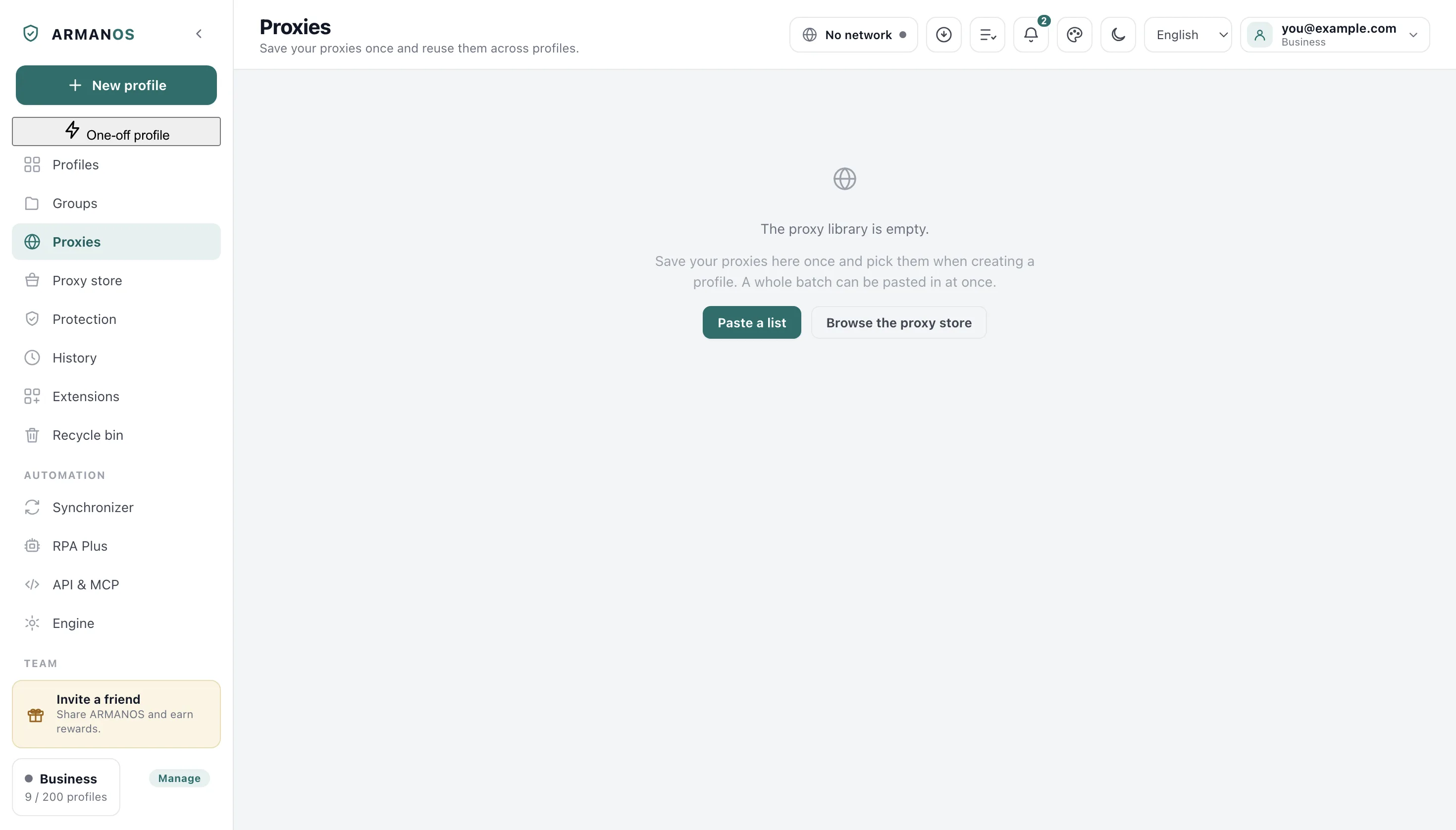
The top of the list says how many entries are in there, and every row says how many profiles use it.
Paste the whole batch
One address per line, in whatever shape the seller sent. Fifty lines become fifty entries in a single paste.
- 1
Open the proxy library
The Proxies tab in the left column.
- 2
Press Paste a list
The button above the list in the Proxies tab.
- 3
Choose the default protocol
The picker named Protocol for lines without one, in the same window.
- 4
Paste into Proxy list
The text box under that picker.
- 5
Press Import
The button at the bottom of the same window.
Shapes the parser reads
Host and port on their own, host and port followed by a login and password, credentials written before the address, and any of those behind a scheme. Lines in the shapes other antidetect browsers use are read too: login:password:host:port, parts split by semicolons with the type first, the IP change link in square brackets, and a label as the fifth part after the password. A type written in the line always wins over the picker.
A label may follow after a vertical bar, and the seller's IP change link after a hash or as a further part.
Invisible characters are removed
Repeats and unreadable lines
A line that is already in the library is counted as a repeat instead of being added twice. A seller's next list usually overlaps the last one, and silent doubling would make the library useless within two purchases.
A line that could not be read is listed back to you word for word, with what is wrong with it underneath: for example socks without a number (that is SOCKS4), or a line that can be read two ways. The window shows the first five such lines and the count of the rest.
Where the password goes
Not into the command line. A small bridge on loopback speaks to the browser without a password and to your proxy with one.
On disk the system seals the password on Windows only: on macOS the key ships inside the program, and on Linux the password is written as typed.
The library follows the account
Entries live in the account, so a second computer sees the same list after you sign in. Deletions travel as well, and a row you removed does not come back on the next refresh.
The key file of an SSH entry is the exception: only its path could travel, and a path from this machine means nothing on another one.
What this does not do
- It does not sell you proxies. The library stores what you bought elsewhere.
- It does not invent a protocol for a line that has none. The picker decides, and only a type written in the line overrides it: a scheme, or the type as the first part.
- It does not reformat what a seller sent. A line outside the shapes above is skipped and named, not repaired.
Where this is decided
Each step above is one place in the code and one stand.
- Every shape a seller sends is parsed, and a line that cannot be read is reported
- apps/desktop/test/proxy-library.js · apps/desktop/test/вставить-список-как-ввоз.js · apps/desktop/test/вставить-список-причины-в-окне.js
- The password reaches the proxy through a loopback bridge, not the command line
- apps/desktop/test/proxy-auth-bridge.js
- What each system does to a proxy password on disk
- apps/desktop/test/шифрование-правда-по-системам.js · apps/desktop/test/proxy-password-sealed.js
- Deletions and edits reach the account in an order that cannot resurrect a row
- apps/desktop/test/proxy-library-sync.js
Questions
- What happens to a line it cannot read?
- It is skipped and shown back to you exactly as you pasted it, with what to fix underneath. The rest of the batch still lands in the library.
- I pasted the seller's list twice.
- The repeats are counted, not added. Two lines are the same entry when protocol, host, port and login all match.
- Can the IP change link come in the same line?
- Yes. Put it after a hash, as a further part behind a vertical bar, or in square brackets, and it lands in the entry with the address.
- Does the import change my profiles?
- No. A profile starts following an entry only when you pick that entry inside the profile.
Next to this
Set a proxy for a profile
The step that follows a stored batch.
Check a proxy before launch
Find the dead rows before a window does.
A proxy per profile
The whole feature, not one procedure.
Import accounts from a spreadsheet
The same idea for profiles rather than addresses.
Copy and export proxies
The way out: lines and files for other programs.
Proxies from any provider
Where eight providers keep host, port and login.
Try it on one batch
The free plan gives two profiles, with no time limit and no card.