هذه الصفحة غير متوفرة بلغتك بعد. أنت تقرأ النص الإنجليزي.
From an empty machine to a working team
How it all works
- 153.0.7978.0
- ARMANOS Browser, the engine that ships inside the app
- 5
- fingerprint templates, from desktop to Android tablet
- 20
- platforms named by the five scenarios
- 17
- step kinds on the Flows screen
- 11018
- automated checks: 8454 app, 1535 server, 1029 site
What the installer puts on disk
Your profile's device sits inside the browser itself, rather than being written into the page on top of an answer already given. A fallback, the Built-in engine, ships too, and the Engine screen always names the one running for you right now.
| System | What it needs |
|---|---|
| macOS | 13 and later, Apple Silicon or Intel |
| Windows | 10 or 11, 64-bit |
| Linux | Ubuntu 22.04 and later, 64-bit |
The first launch will be questioned
How the sign-in reaches the app
The app opens with no account at all: two profiles, no card, everything on this machine.
You sign up on the site, and the app opens that page itself. What you get back is a one-time code that lives minutes and works once.
- 1
You sign up on the site
The app opens the page itself.
- 2
You are issued a one-time code
For this account, valid for minutes and valid once.
- 3
The link takes you back to the app
The system routes it into the copy already open, not a second one.
- 4
The code becomes your pass
From there it works the same as a password you typed.
- 5
This machine takes a device seat
By hardware id, against the seats your plan carries.
What a profile actually is
A profile is a machine of its own, built on one of five templates.
Everything else is drawn from pools of what real machines report, and what moves together on them moves together for you. The finished fingerprint is stored nowhere and is put together again at every launch, so the same profile always shows a site the same machine.
macOS, Chrome
Windows, Chrome
Platform Win32, an x86 architecture hint, pixel ratios of 1, 1.25 and 1.5.
Linux, Chrome
Platform Linux x86_64 with an empty platform version, because Chrome on Linux reports none.
Android, Chrome (phone)
Five touch points, no system chrome, and the whole handset taken from one list.
Android, Chrome (tablet)
The same platform but not mobile: a tablet reports a desktop-shaped user agent.
What the proxy decides
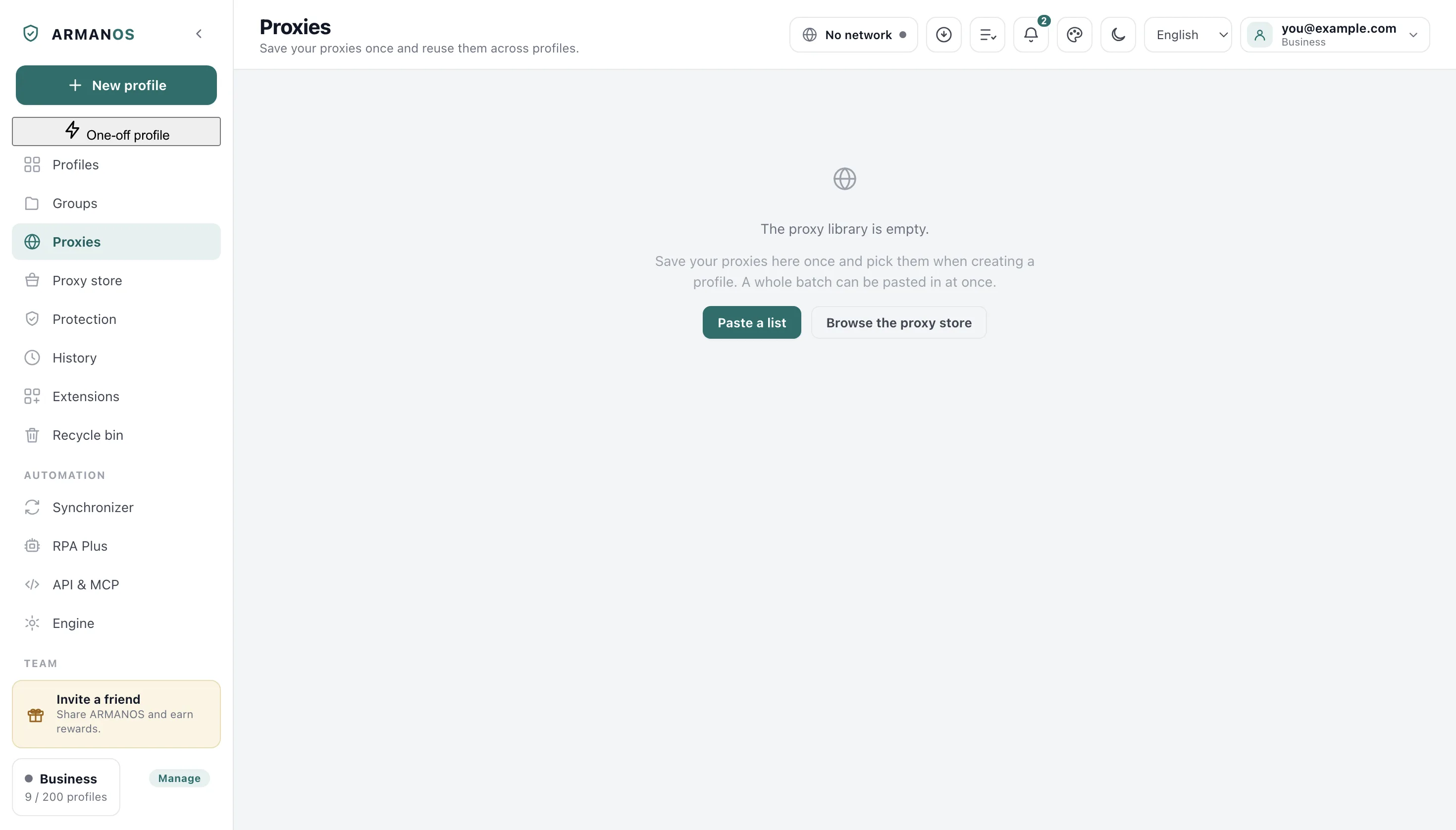
You can give an address in four kinds of connection, and a batch copied from a seller exactly as it stands goes in with one paste. You enter the same address in the library once, and profiles point at it.
The exit country then sets the timezone and the language stack, because a clock that disagrees with the address is one of the first things checked. Your proxy password never reaches the command line.
HTTP and HTTPS
The common case, with a login and password too.
SOCKS5
With a login and password as well, if the seller issued them.
SSH
Your own server as an exit, with no third-party proxy to buy.
Proxy providers
Eight providers with type, regions and a price hint, and nothing is bought through us.
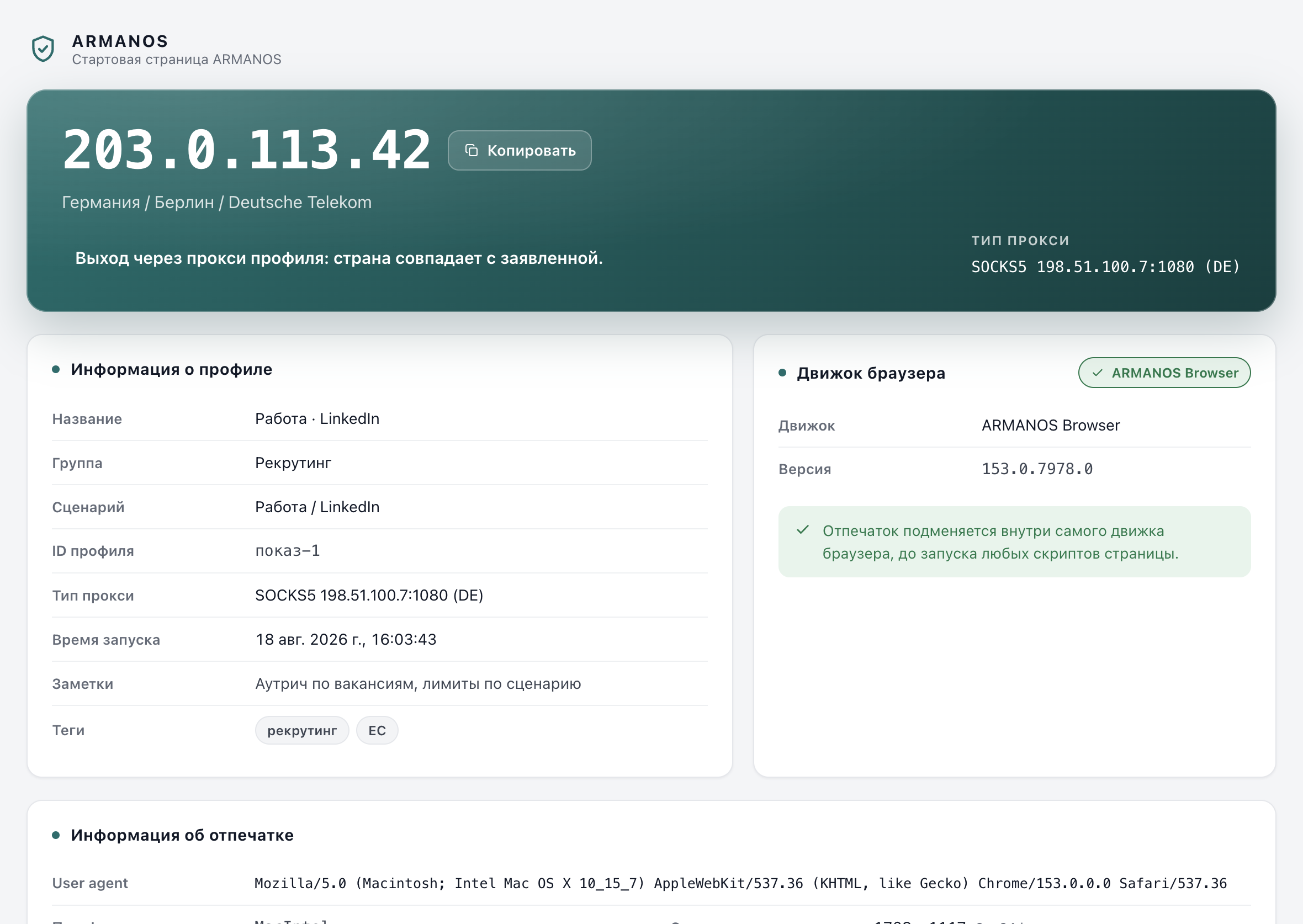
The start page inside a profile
A profile with a window opens our start page, and it lives on your own computer. A start page fetched from someone else's server would announce every launch of yours to its owner.
It shows the exit address with country and network, the profile, the engine actually running, and the readings the profile presents. It goes out once, and only through this profile's own proxy.
What the scenario sets
You pick a scenario when you create a profile, and between them the five name 20 platforms. The scenario decides which platforms a profile knows, what it blocks, and how many actions a day it treats as normal.
A new account gets a ramp rather than the full ceiling at once: 20, 35, 50, 65, 80, 90 and then 100 per cent over seven days. Nobody blocks you from anything, the hint simply sits next to the profile.
| Scenario | Platforms it names | Daily ceiling at full pace |
|---|---|---|
| E-commerce | Amazon, eBay, Etsy, Walmart, Shopify, WooCommerce, BigCommerce | 120 |
| Social media | LinkedIn, Facebook, Instagram, X, TikTok, Pinterest | 200 |
| Ad accounts | Google Ads, Meta Ads, TikTok Ads, Microsoft Ads | 40 |
| Freelance | Upwork, Fiverr, Freelancer | 40 |
| Privacy | None: ordinary browsing without tracking | No ceiling |
Fifty accounts in one import
You will not have to rename the headings in your file: the app recognises them by meaning rather than by an exact string, and in several languages at once. A column it could not recognise is named to you outright instead of guessed at.
Profiles past the limit queue up and wait for a seat instead of failing. The limit itself depends on the memory in your machine.
- 8 GB machine
- 5 browsers at once
- 16 GB machine
- 13
- 32 GB machine
- 29
- 64 GB machine
- 32, the ceiling
Total memory minus 3 GB for the system and the app, then 1 GB per browser, held between 4 and 32. The Browsers at once setting on the Engine screen will take your own number instead.
Work handed to the app
On the Flows screen you build a flow out of 19 kinds of step without writing a line of code, and three of them take other steps inside. Before a run you choose the profiles and how many of them work at once.
Go to URL
Open an address in the profile's tab.
Wait
Pause for a time or for a selector.
Click
Click what a selector matches.
Input text
Fill a field and fire its input event.
Scroll
Scroll by an amount or to an element.
Extract text
Read text into a variable.
Take screenshot
Capture the page, kept with the run.
Press key
Send one key, such as Enter.
Random delay
Pause a random time between two bounds.
Repeat
Run the steps inside a set number of times.
If / else
Two branches and one of them taken.
For each element
Run the body once per matched element.
Tab control
Open, switch or close a tab.
Cookies
Read, set, delete or clear cookies.
Run JavaScript
Run JavaScript in the page.
Wait for request
Wait for a request matching a pattern.
Type like a person
Type the text letter by letter with real key presses, with pauses and, if you set a share, typos that are erased at once.
Schedules and missed slots
You set a schedule for every day, for days of the week or by the hour in your own city's time, and a missed slot is not caught up later. It runs only while the app is open, because we install nothing into your system as a service.
What this does not do
- It does not hide your address by itself. Without a proxy, a profile goes out on the same IP as everything else on this computer.
- It does not behave like a person for you. Typing speed, pauses, what you click and how often are yours, and platforms watch all four.
- It does not promise that an account will survive. Age, payment method, content and complaints decide too, and none of those are ours to control.
- The builds are not signed or notarized yet. macOS blocks the first launch until you allow it, and Windows warns about an unsigned installer.
- Schedules and flows run only while the app is open. Nothing is installed as a background service, so a closed laptop runs nothing.
- Not every reading is substituted inside the engine yet. Each build ships a manifest of what it closes itself, and the app closes the remainder from the profile extension, which is a weaker place to do it.
How to check
Every claim above has a file that implements it and a stand that fails when it stops being true. These are the paths in the repository.
- A sign-in started on the site really lands in the app
- apps/desktop/src/lib/handoff.js · apps/desktop/test/передача-входа-из-сайта.js
- The same profile presents the same machine on every launch
- packages/shared/src/index.js (seededPick, FINGERPRINT_TEMPLATES) · apps/desktop/test/fingerprint-consistency.js · apps/desktop/test/fingerprint-version.js
- An authenticated proxy works, and its password never reaches the command line
- apps/desktop/src/lib/proxyAuthBridge.js · apps/desktop/test/proxy-auth-bridge.js · apps/desktop/test/мост-принадлежит-профилю.js
- Past the limit, a profile waits for a seat instead of being marked failed
- apps/desktop/src/lib/engine-config.js · apps/desktop/test/предел-открытых.js · apps/desktop/test/очередь-запуска.js · apps/desktop/test/сценарий-ждёт-места.js
- The engine declares only what it actually closes, and the page closes the rest
- apps/desktop/src/lib/дыры-страницы.js · apps/desktop/test/опись-умений-снимается.js · apps/desktop/test/страница-отходит-когда-движок-умеет.js
- Groups and profile sharing work from the app, not only from the server
- apps/server/src/team/team.service.ts · apps/desktop/test/доступ-команде-из-программы.js · apps/web/test/member-folders.js
Questions
- Does a proxy with a login and password work?
- It does, and the password never reaches the command line. The engine will not take credentials there, so the app routes them another way inside your own machine: measured on the shipped build, the same launch made 13 requests through the proxy with that route and zero without it.
- What happens when one of the launch steps refuses?
- The profile does not open, and you are told which step refused. A window that looks ordinary and is not is the outcome worth avoiding.
- Can one set of clicks drive many profiles?
- Yes. Your clicks, typed values, scrolling and navigation from the tab you are looking at are repeated by the app in every profile you selected.
- Is there a way in for my own programs?
- A local API on 127.0.0.1:50325 behind an access token (For developers > Enable local API), an MCP server with ten tools for an assistant, and Node and Python SDKs that wrap the server API.
- Does anything of mine reach your server?
- Cookies and logins never leave the profile folder on this machine. The server answers only for the quota, the subscription and the device seats.
Read further
The engine
What ARMANOS Browser closes inside itself, and where the border runs today.
The fingerprint
The five templates, the pools they draw from, and why values move in pairs.
Proxies
The proxy library, SSH exits, IP change and the timezone that follows the country.
Automation
The Flows screen, schedules, the synchronizer, the local API, MCP and the SDKs.
Team
Roles, groups, invitations, devices and the lock that says «The profile is open on another machine».
Check every claim
Every claim the site makes: where it is in the code and what proves it.
Open the first profile
Two profiles are free for good, with no card. The engine ships inside the app.