هذه الصفحة غير متوفرة بلغتك بعد. أنت تقرأ النص الإنجليزي.
Scenario
Privacy
- 31 domains
- Blocklist for this scenario
- 40 parameters
- Removed on every navigation
- Proxy address by default: disable_non_proxied_udp on a profile with a proxy
- WebRTC mode
- ARMANOS Browser 153.0.7978.0
- Engine
- 3
- Free tools named here that send nothing
What tracking actually is
Open a page and it loads files from companies you have never heard of. Each of those requests carries your address and your browser's answers.
Two unrelated sites load the same third-party file, so one company sees both visits and joins them. Neither site had to cooperate with the other.
| Approach | Closes | Leaves open |
|---|---|---|
| Incognito mode | Cookies, when the window closes | The same device answers, the same address, the same click ids |
| A VPN | The address a site sees | Cookies, fingerprint, WebRTC candidates, link parameters |
| A fingerprint-spoofing extension | Some values, rewritten inside the page | Rewritten properties a page can inspect; the network layer untouched |
| A second browser profile | The cookie jar | One machine underneath: same fonts, same GPU, same local address |
| A virtual machine | Almost everything, honestly | Gigabytes and a separate update cycle per identity |
| This scenario | Cookies, device, tracker requests, link parameters, WebRTC candidates | Your provider, and any site you sign into |
The blocklist
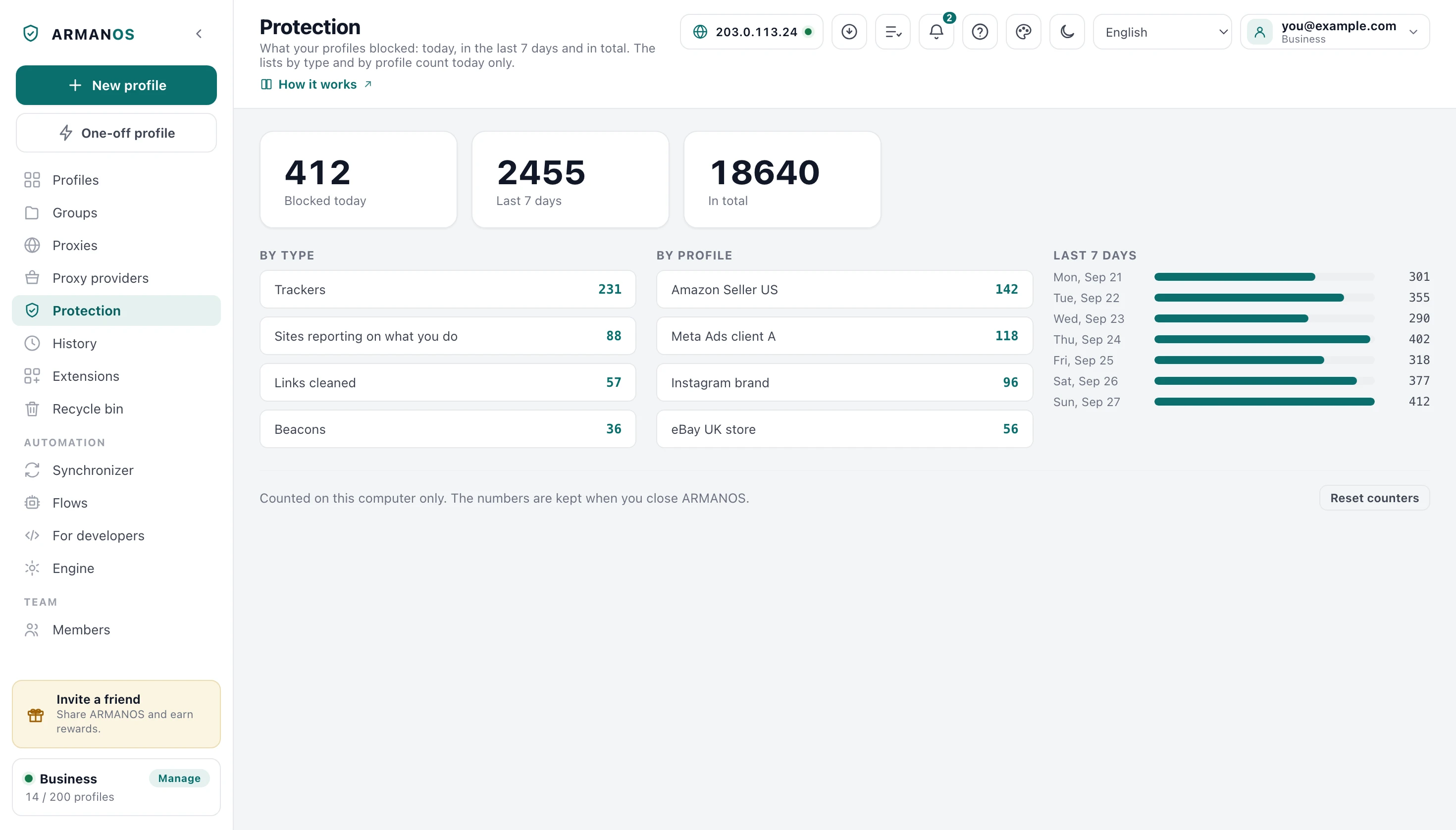
Thirty-one hosts are blocked: analytics, ad exchanges, session recorders, crash reporting, mobile attribution. An entry matches the host and its subdomains.
Both engines read the same list, and the rule names every resource type. Leave one out and a click that navigates straight onto a blocked domain passes.
| Category | Examples from the list |
|---|---|
| Web analytics | google-analytics.com, googletagmanager.com, analytics.google.com |
| Ad exchanges | doubleclick.net, googlesyndication.com |
| Social pixels | graph.facebook.com, pixel.facebook.com |
| Session recording | hotjar.com, fullstory.com, logrocket.com, mouseflow.com |
| Product analytics | mixpanel.com, amplitude.com, segment.com, heap.io |
| Crash and performance | sentry.io, crashlytics.com, bugsnag.com, newrelic.com |
| Mobile attribution | appsflyer.com, adjust.com, branch.io, kochava.com |
WebRTC stays behind the proxy by default
WebRTC gathers candidate addresses, including your machine's address on your own network, and hands them to the page. No permission prompt is involved.
By default a profile with a proxy starts with a rule that keeps WebRTC from gathering addresses past the proxy. Real shows this computer's address on purpose, and an extension with the privacy permission can override the rule.
One local address ties the group
For a set of profiles that is the worst leak there is: ten profiles on ten proxies share one local address, and the group is tied together by it.
- 1
Run the leak test in your everyday browser
The tool builds an RTCPeerConnection with an empty ICE server list, so nothing goes out, and lists the addresses your browser hands over unasked.
- 2
Run it inside an ARMANOS profile
Launch a profile that has a proxy and open the same page in it.
- 3
Read the difference
A changing name ending in .local is the browser hiding the address on purpose. A raw 192.168 or 10.x address is the value that ties your profiles together.
What the build leaves out
The browser is our own build, and the reporting is compiled out rather than switched off. Beacons are replaced in the page, because a beacon fires while a page is unloading.
The start page is served from loopback, so a launch is never announced to anyone.
- enable_reporting
- false
- enable_rlz
- false
- use_official_google_api_keys
- false
- google_api_key
- empty
- enable_extended_safe_browsing_reporting
- false
- safe_browsing_mode
- 1, with no keys to reach a server
The gn arguments the shipped engine is built with, from engine/scripts/build-mac.sh. The Linux build reuses the same list.
Check it yourself
The three tools named below compute inside your browser. There is no request out of any of them, and a stand fails if one appears.
The leak test asks the browser for its own candidate addresses with an empty server list. Pointing it at somebody's server would tell that server about you.
- 1
Measure your everyday browser
Open the fingerprint check and copy the eight-character code.
- 2
Measure each profile
Open the same page inside each ARMANOS profile and copy each code.
- 3
Count the repeats
Paste all the codes into the counter on that page. Two profiles with one code look like one machine to a site.
- 4
Go deeper inside the app
Test fingerprint in the profile menu runs the fingerprint self-test, up to 37 readings, against the browser that profile actually launches with, and scores it out of 100.
What this does not do
- It does not make you anonymous. Your provider still sees that you connected, and any site you sign into knows exactly who you are.
- The blocklist for this scenario is 31 domains. It is a curated list of well-known trackers, not a full ad-blocking ruleset, and a site's own first-party analytics is not on it.
- Link cleaning removes 40 named query parameters. An identifier placed in the path, or after the #, survives.
- Without a proxy the profile goes out from your own address. Isolation and a consistent device are not an IP change.
- On the built-in engine, the fallback to ARMANOS Browser, an extension's own blocking rules are executed by ARMANOS, not by the engine. Rules it cannot express are skipped.
- We do not claim that sites cannot tell. What is shipped here is isolation, a consistent device, and less data leaving on its own.
How to check
Every claim above has a file behind it and, where it can be measured, a stand that fails the moment it stops being true.
- The scenario record says what this page says
- packages/shared/src/index.js (SCENARIOS.privacy, SCENARIO_DAILY_LIMIT) · apps/desktop/src/lib/profiles.js (create)
- Tracker blocking and link cleaning really run on the shipped engine, measured through our own loopback proxy
- apps/desktop/src/lib/tracker-rules.js · apps/desktop/test/блокировка-живьём.js
- This scenario inherits no path rules written for other platforms, and both engines compile the same rules with their hosts
- apps/desktop/src/lib/forkExtension.js · apps/desktop/test/слежка-по-хостам.js
- An enabled blocker never promises more than the engine delivers, and unparsed rules are counted
- apps/desktop/src/lib/dnrBlock.js · apps/desktop/test/builtin-blocking.js · apps/desktop/test/extension-limits-honest.js
- The WebRTC verdict is measured, not asserted
- apps/desktop/src/main/main.js (probeWebrtc, classifyWebrtcCandidates) · apps/desktop/src/lib/проверка-webrtc.js · apps/desktop/test/leak-verdict.js · apps/desktop/test/webrtc-диагностика-живьём.js
- The free tools make no network call at all
- apps/web/components/tools/LeakCheck.tsx · apps/web/test/тест-утечки.js · apps/web/test/инструмент-отпечатка.js
Questions
- Is this the same as private browsing?
- No. Private browsing forgets the session when you close the window. Here the session is kept, and what changes is who gets to watch it.
- Does it block ads?
- Not as such. It blocks the hosts that follow you between sites. An ad served from the site you are reading is left alone.
- What about a site that measures you from its own address?
- A domain list cannot help there, and we say so rather than imply otherwise. Path rules exist for the platforms they were tested against, and nothing beyond them.
- Do you see the numbers from the free tools?
- We cannot. There is no request out of them at all, so there is nothing to see, and a stand fails if one is ever added.
- What if a profile is created without a scenario?
- It gets this one.
Read next
Browser fingerprint check
Twelve readings and one eight-character code, computed in your browser.
WebRTC leak test
Which addresses your browser hands out without being asked.
ARMANOS Browser
The Chromium build that substitutes the fingerprint inside the engine.
Proxies
A proxy per profile, and the geo the fingerprint is aligned to.
Check every claim
Every claim on this site with the file and the stand behind it.
Two profiles on the free plan
In ARMANOS, create a profile on the Privacy scenario, then run the fingerprint check in it and in your everyday browser and compare the two codes.