यह पृष्ठ अभी आपकी भाषा में उपलब्ध नहीं है। आप अंग्रेज़ी पाठ पढ़ रहे हैं।
Open a link here
A link in the profile you choose
- http and https
- Addresses accepted
- Never
- The address on our server
- Both
- Engines
- 22 languages
- The wording of the button
A link belongs to an account
A message arrives with a link, and the account it has to open as is not the one your everyday browser is signed into. By hand that means finding the profile in the list, starting it, waiting for it, and pasting the address into a fresh window.
Four steps is enough friction that people stop doing it. They glance at the link in whatever browser is in front of them, and the account that was supposed to see it never does.
Here it is one action on the profile you point at. Everything the page then reads comes from that profile and nothing else.
Where the button is
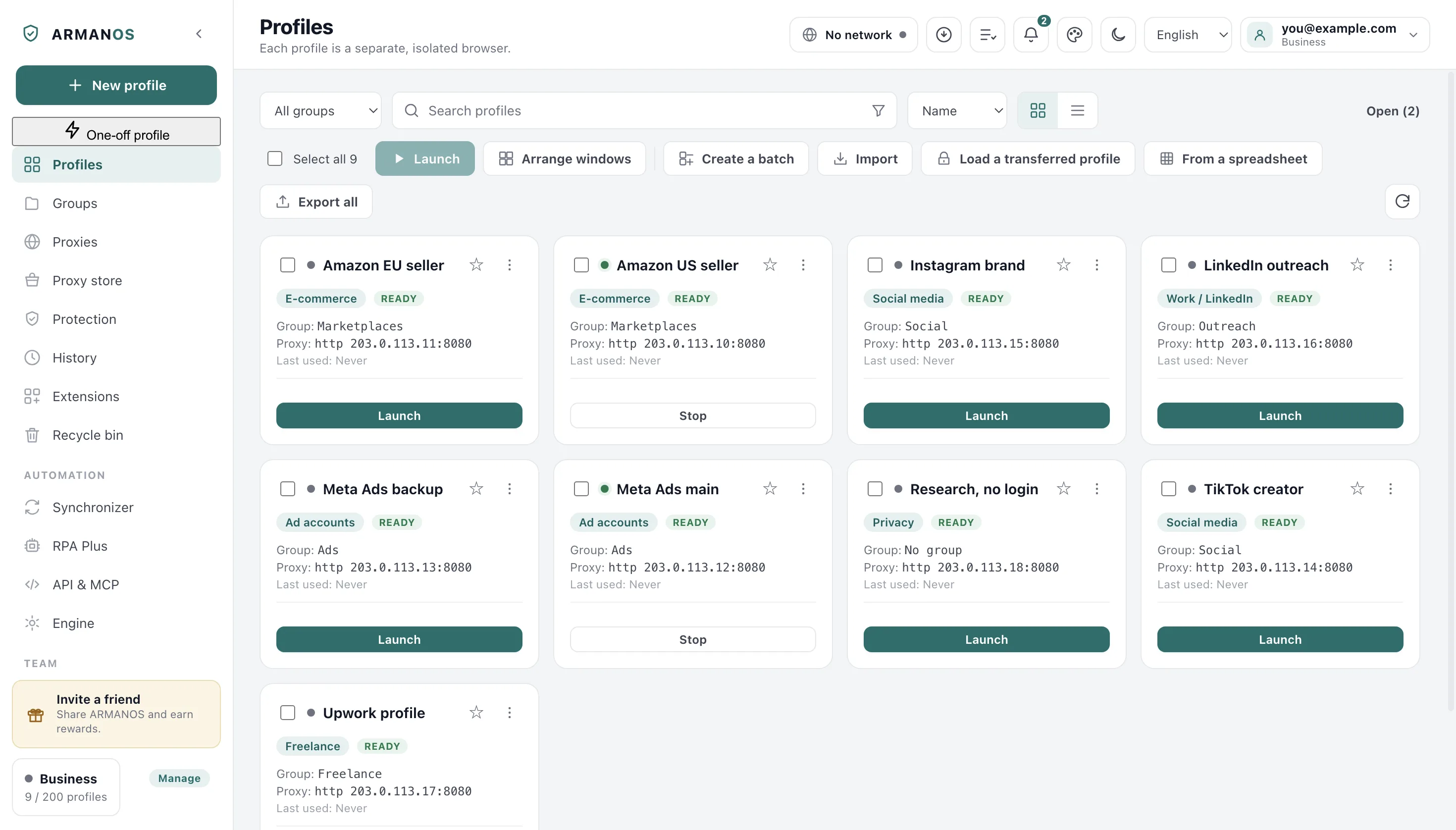
The entry sits in the profile's own menu, between Test fingerprint and Duplicate. Right-click a card or a row in the list, or use the three dots on the card.
You name the account first, by design. You are never typing an address into a window and hoping it lands in the right place.
- 1
Pick the profile
Open a link here is a line of that profile's menu, so you name the account before the address.
- 2
Paste the address
A small window asks for the link and names the profile it is about to open in.
- 3
Read the answer there
You read a refusal in that window, with the real reason, and a success closes it.
Only http and https
A person pastes this address, so the app checks it instead of trusting it. Anything that is not an ordinary web address comes back to you, named.
The reason is that the page opens with the profile's own rights. An address that reads files or runs code would do it from inside the account you were trying to protect.
| What you paste | What happens | Why |
|---|---|---|
| https:// and http:// | Opens in the profile | The two kinds an ordinary page comes in |
| file:// | Refused | It would read this computer's own files |
| javascript: and data: | Refused | They would run inside the profile as the page itself |
| Anything else | Refused | An unknown kind is not quietly attempted |
A closed profile opens itself
The account does not have to be running first. A closed profile opens the same way the Launch button opens it, with every check that comes with it: the proxy, the fingerprint, the busy lock.
That last one matters most. A profile a colleague holds on another machine will not open here either while your account is reachable, and you see which machine holds it.
The seat is a real seat
The second window keeps the recipe
A profile already at work is never restarted for this. The page opens beside what is there, with the same settings the profile launched with. With only the start page open, a blank page comes before the link.
A second page that skipped the proxy would put the account on the open internet from your own address, and a phone profile answering as a desktop is a contradiction any site can read at once.
What that looks like on screen depends on the engine.
| What the new page gets | ARMANOS Browser | The built-in engine |
|---|---|---|
| Where it appears | A tab of the profile | Another window of the same profile |
| Cookies and storage | The profile's own | The profile's own |
| Fingerprint | Substituted inside the engine | Injected before the page loads |
| Exit address | The profile's proxy | The profile's proxy |
| A profile started hidden | Stays hidden | Stays hidden |
| A phone profile | Stays a phone | Dressed as a phone first |
What a refusal tells you
A link that does not open is better than a link that opens somewhere you did not expect. The refusal comes back in the same small window.
If the profile did not come up, you read the whole real reason, not a general phrase.
Not a web address
You are asked for one starting with http:// or https://, and nothing reaches a profile.
Held on another machine
While another machine holds the profile, you get a refusal that names it.
No seat left
The ceiling on open profiles is reached, and you are told how many are open.
The tab did not open
The profile came up, the tab could not be opened, and you see the profile named in the refusal.
The address stays on this computer
Nothing about the link travels upward. We do not receive it, count it, or learn the domain.
A list of the links other people send you would be worse than any fingerprint leak. So the link has nowhere to go from your computer to us, and you can check that rather than take our word for it.
What this does not do
- It is not a proxy per tab. On the built-in engine an extra page is another window of the same profile, and a second exit behind shared cookies is the pattern that links accounts.
- You can open ordinary web addresses only. http and https open; file, javascript, data and the rest come back, and the window says why.
- It is not free of resources. A closed profile starts a whole browser and holds a seat against the ceiling on open profiles until you close it again.
- It does not push past the busy lock, but that lock rests on your account: signed out, or with the server out of reach, there is nothing to ask and the link opens.
How to check
The action is one function, and a stand runs it on stubs.
- Only http and https reach a profile, and the address never goes to our server
- apps/desktop/src/main/main.js · apps/desktop/test/ссылка-в-профиле.js
- A closed profile is launched down the same road a flow step uses
- apps/desktop/src/main/main.js · apps/desktop/test/ссылка-в-профиле.js
- A second window inherits the launch recipe, hidden mode and phone dress included
- apps/desktop/src/main/main.js
- A profile opened this way takes a seat against the ceiling
- apps/desktop/src/main/main.js · apps/desktop/test/предел-открытых.js
Questions
- Does the profile have to be running?
- No. A closed one starts first, the same way the Launch button starts it, and the page opens once it is up.
- Can I send one link to many profiles at once?
- Not from this window: it asks for one profile and one address. A flow with an open-tab step is the many-profile version.
- Does the page go through the profile's proxy?
- Yes. It opens inside that profile's session, so it leaves by that profile's exit and carries that profile's cookies.
- What if a colleague has the profile open?
- You get a refusal naming the machine that holds it, as long as your account is reachable. Two live sessions of one account is what the lock prevents.
- Is the address written down anywhere?
- Not on our side. On your computer it becomes an open page like any other, so that profile's crash snapshot can remember it.
Open the next link as the right account
In ARMANOS, keep a profile per account and paste the link into the right one.