Cette page n’existe pas encore dans votre langue. Vous lisez le texte anglais.
Knowledge base
Import profiles from a spreadsheet
Prepare the file
A CSV or an Excel .xlsx workbook: from Excel, from a sheet or from your supplier. In a CSV, commas, semicolons and tabs are all read, the byte order mark Excel writes is dropped, and a quoted cell may hold commas and line breaks.
An old Excel workbook in the xls format and a password-protected one are not read: save the sheet as xlsx or CSV.
UTF-8, a file from Excel on Russian Windows and Unicode Text are read; for another encoding the app asks you to save the file as CSV UTF-8.
One import takes up to 1000 rows.
Download an example writes a file with the column names the importer already knows.
Which columns are understood
Name, group, scenario, fingerprint template, notes, tags and the two-factor key are matched by meaning rather than by an exact string, in several languages at once.
Each column has a This column choice: recognised ones are set, one that matches nothing stands at Not used, and you pick its field. Guessing would produce profiles that look right and behave wrong.
Two columns set to one field stop the import until you keep one.
The proxy may arrive one way or two
A single proxy column in the seller's own notation is read, and so are separate host, port, protocol, proxy login and proxy password columns.
Only column names that say proxy are taken as the proxy's credentials. A bare Login or Password column in a table of accounts belongs to the account.
A named but unknown protocol is reported
Location for sites from the file
Latitude, Longitude and Accuracy columns are read, and so are the location columns from another program's export: the answer to location requests, location by address or own coordinates. The preview shows in its Location column what each row will get.
When a row asks for its own coordinates and they cannot be read, or they are 0 and 0, which such exports use for an empty value, this is named under the row and the profile gets "Near the proxy address". A file with no location at all gives a new profile the same.
WebRTC mode from the file
The WebRTC columns from another program's export are read: the mode, whether WebRTC is on, whether the public address comes from the proxy, and the public address itself. The column map names them like any other column.
A value the program does not know, or an own address that is not an internet one, gives the row Proxy address, and a note under the row says why. A file with no WebRTC columns gives a new profile Proxy address too.
- real
- Real
- disabled, or WebRTC switched off
- Off
- alerted or public, address from the proxy
- Proxy address
- alerted or public with its own public address
- My address, with that address
- fake or any other value
- Proxy address, with a note under the row
Run the import
The first screen is a preview and creates nothing.
- 1
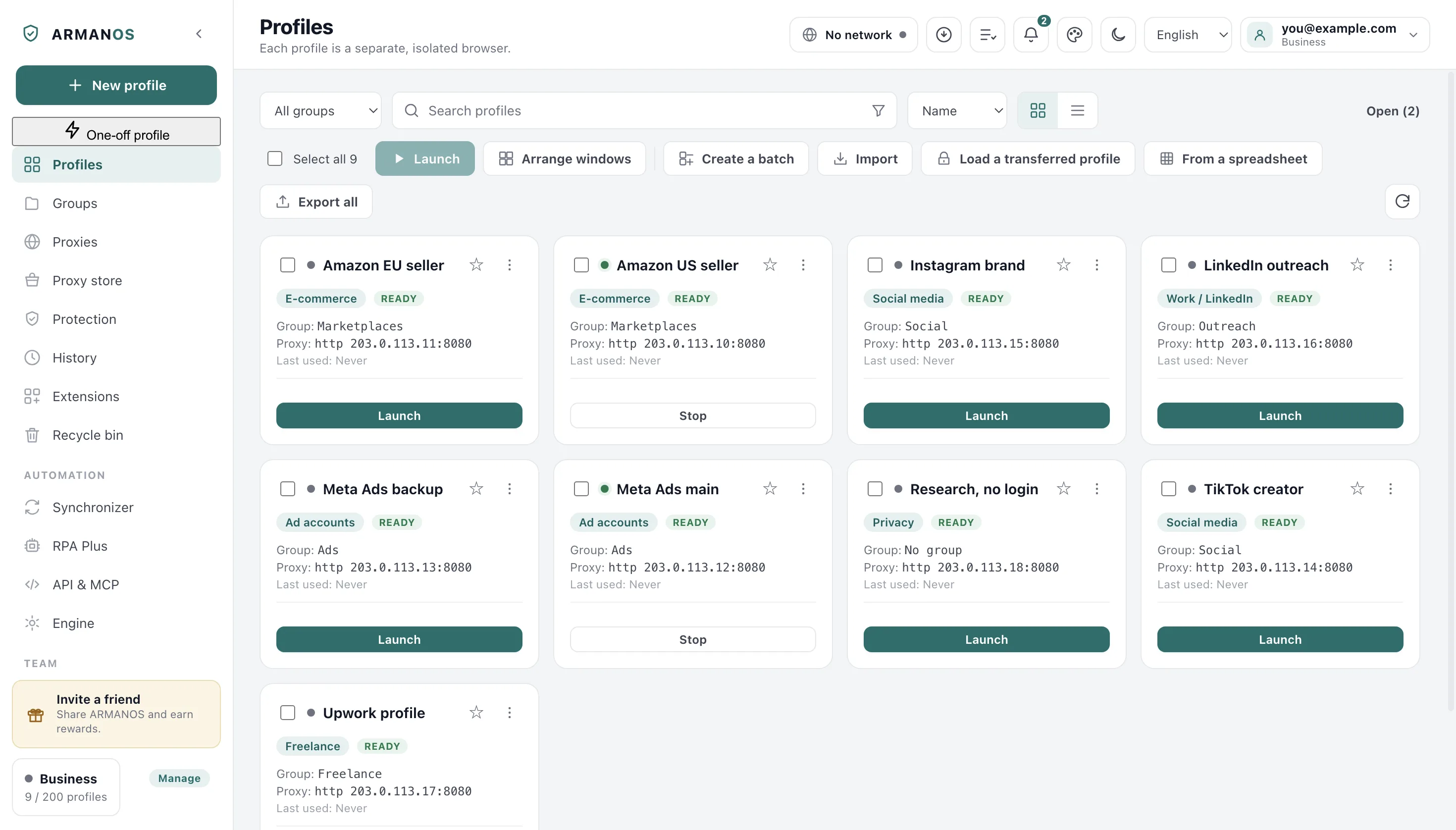
Press From a spreadsheet
On the toolbar above the list of profiles.
- 2
Press Choose a file
The file name and the number of rows appear.
- 3
Read the column map
Columns not used are named and so are rows read only in part.
- 4
Press Create profiles
It reports how many were made and how many proxies went to the library.
Bringing back an exported file
Export all opens How to export: a table comes back through this import, the ARMANOS settings file through Import. A restore keeps each profile's number wherever it can, because the number is the seed of the fingerprint.
When you are signed in the account issues the numbers instead, so some profiles come back as a different machine and the app says how many.
A script does the same through the local API: POST profile/export returns the settings of up to 100 profiles, and POST profile/import brings them back with an answer for each. A profile that came back as a different machine is marked identityChanged.
What the import does not carry
Site data is not in a spreadsheet, so a profile from it usually starts logged out. Sign-ins travel separately: in cookie files (the section above), in a transfer file or through a shared folder.
What this does not do
- It does not guess a column of a file. What cannot be matched is named and waits for you to pick its field.
- It does not create anything before you press the button.
- It does not bring sessions with it. A table holds settings, and settings are not logins.
Where this is decided
Each step above is one place in the code and one stand.
- The reader handles the shapes a real spreadsheet arrives in
- apps/desktop/test/csv-import.js
- A bare Password column is never read as the proxy password
- apps/desktop/test/csv-proxy-columns.js
- Rows carrying a group are not silently dropped
- apps/desktop/test/csv-import-groups.js
- A two-factor key survives an export and an import unchanged
- apps/desktop/test/config-import-2fa.js
- A cookie file becomes a profile, a broken file does not hold the batch, the plan limit is named
- apps/desktop/test/куки-из-файлов-живьём.js
- Export and import over the API report on each profile and name the one that came back as a different machine
- apps/desktop/test/api-выгрузка-загрузка.js
Questions
- My file is semicolon separated.
- That is read. The delimiter is taken from the header line and counted outside quotes, so a quoted heading with commas does not confuse it.
- My column names are in Russian.
- They are matched by meaning in several languages, so Название, Группа and Прокси are understood as they are.
- What happens to a broken row?
- Rows read only in part are listed by line number, and one checkbox skips them instead of stopping the whole import.
- My table has no name column.
- Each row gets a numbered name such as Profile 1, or your template from Name, if the row has none.
- Can the table set the operating system?
- Yes. Words like windows, linux, android and tablet resolve to the matching template, in Russian too.
Next to this
Import
The whole feature, not one procedure.
Paste profiles as text
The same window without a file.
Update profiles from a table
By profile ID.
Bulk actions
What to do with fifty rows once they are here.
Move a profile to another computer
When the session has to come too.
Set a proxy for a profile
Where the imported addresses end up.
Bring your table in
The free plan gives two profiles, with no time limit and no card.