Esta página aún no está en su idioma. Está leyendo el texto en inglés.
Comparisons
Load on your computer
What every open account needs
Four ways to keep accounts open at the same time.
| What an open account takes | Opening | Windows together | After a crash | |
|---|---|---|---|---|
| Windows of a regular browser | A window, but one identity for all windows | Instant | Windows of one identity | Depends on the browser |
| A virtual machine per account | A system of its own, gigabytes of memory and tens of gigabytes of disk | A boot before the first click | One machine per window, as many as the host holds | Depends on the browser inside |
| A device per account | A whole device | Pick it up | One device per window | Depends on the browser on the device |
| ARMANOS | A share of computer memory per window | About half a second | Side by side, with a pause between launches | Tabs saved every half minute, brought back on request |
Memory
Virtual machine and device
A virtual machine takes a whole system: gigabytes of memory and tens of gigabytes of disk.
ARMANOS
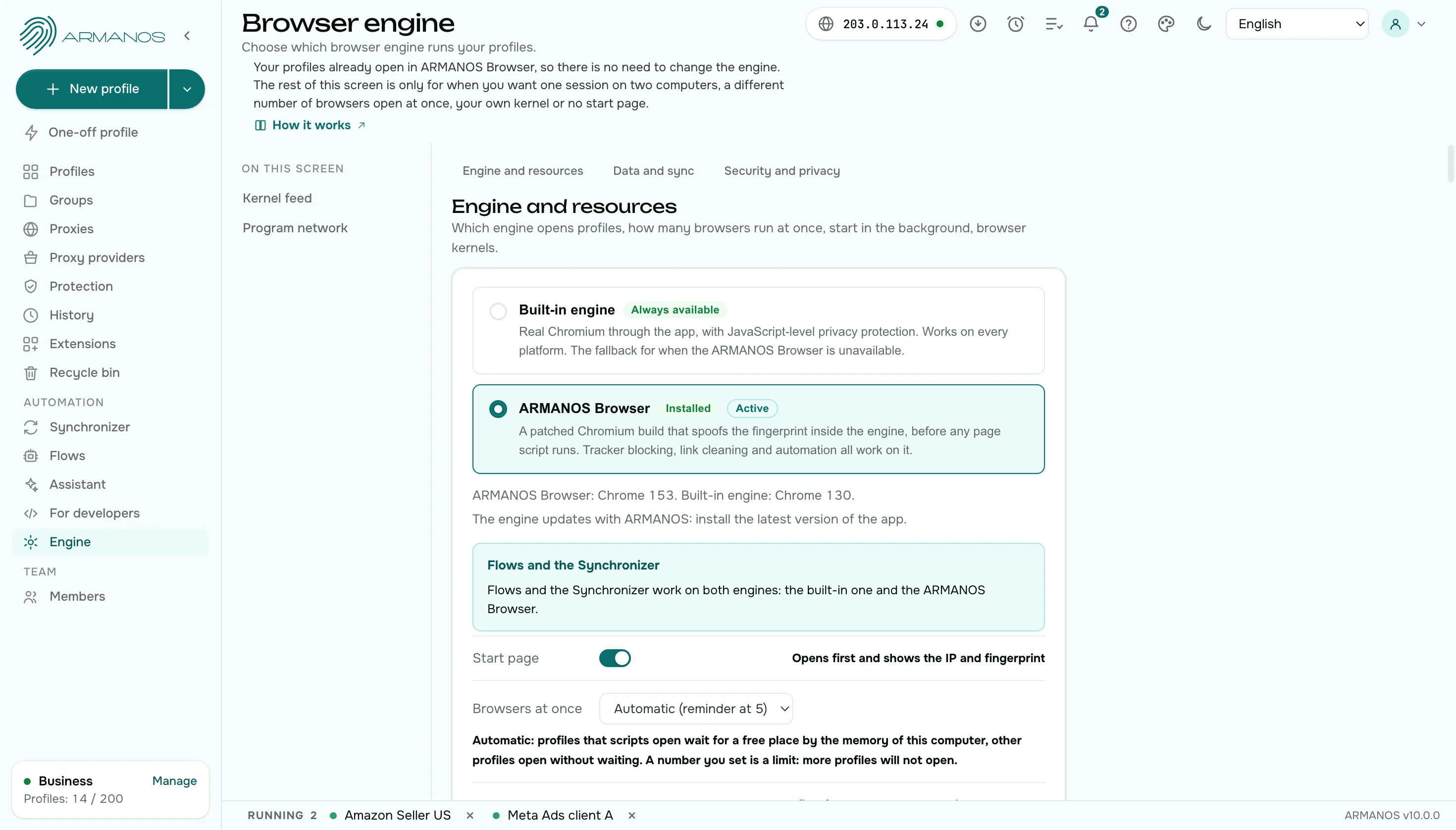
A profile window takes a share of the computer memory. ARMANOS counts from memory how many windows to keep at once and reminds you when there are more.
Opening
Virtual machine and device
A machine boots before the first click, a device is picked up by hand.
ARMANOS
A profile window opens in about half a second. Open the next one and the first keeps running.
Batch launch
Virtual machine and device
Every account is brought up on its own.
ARMANOS
Tick the profiles and launch them together. There is a pause of 3 to 14 seconds between windows, and the progress shows in the Task centre.
Tabs after a crash
Virtual machine and device
Getting tabs back depends on the browser inside the machine.
ARMANOS
The list of open tabs is saved every half minute. If a window closes by itself, ARMANOS offers to bring the tabs back. The list holds up to 30 tabs of the profile.
Windows together
Virtual machine and device
Every window is driven by hand, one after another.
ARMANOS
The window synchronizer repeats the actions of a lead window in the windows you choose. The windows repeat the action at their own pace, after a short random wait.
Scenarios and memory
Virtual machine and device
A scripted run starts as many browsers as the script asks for.
ARMANOS
Profiles that a scenario opens wait for a free place by memory, so a long run does not overload the computer.
Trying it out
Virtual machine and device
A heavy setup costs money before the first account.
ARMANOS
The free plan runs on the same engine as the paid plans, so you test the speed on your own computer first.
Pace of launches
Virtual machine and device
Twenty windows opened at once arrive as a burst.
ARMANOS
Profiles open one after another with a pause, like a person signing in. Every profile has a safe pace for its use scenario, and a new profile ramps up over a week.
Quick profiles
Virtual machine and device
A quick look at a site still costs a whole account and a whole window.
ARMANOS
A one-off profile opens a window for a quick look, and you can turn it into a regular profile when it turns out to be a keeper.
What you get
Windows to fit your memory
The app works out from memory how many windows to keep open and reminds you when there are more.
Batch launch with pauses
Profiles open one after another with a pause of 3 to 14 seconds.
Task centre
Every batch job is a row with a bar and a Cancel button.
Tabs after a crash
A window that closed by itself gets its tabs back when you agree.
When to choose ARMANOS
You keep dozens of profiles open
Windows run side by side with no second system for each.
The computer is modest
Scenarios wait for a free place by memory, and you can set your own window limit from 4 to 32.
You launch profiles in batches
A queue with pauses and a progress report in the task centre.
Questions and answers
- How many windows open at once?
- As many as your computer can carry. Scenarios wait for a free place by memory, and you set your own limit on the Engine screen: 4 to 32.
- What if a window closes by itself?
- The list of open tabs is written every half minute, and ARMANOS offers to bring them back.
- What does the Task centre show?
- A group job as a row with a progress bar and a Cancel button.
- Will a modest computer do?
- Yes. ARMANOS counts from memory how many windows to keep at once, and you set your own window limit on the Engine screen: from 4 to 32.
- Can I set my own limit of open windows?
- Yes. Your own limit goes on the Engine screen, from 4 to 32.
- Does a closed profile use memory?
- No. A closed profile is a folder on disk, and its memory goes back to the computer.