Diese Seite gibt es noch nicht in Ihrer Sprache. Sie lesen den englischen Text.
Solutions
E-commerce
- 7
- Platforms this scenario names
- 120
- Pages a day at full pace
- 7 days
- Warm-up ramp
- 5
- Safe daily ceiling rows
Where seller accounts get joined
A seller rarely has one account. One marketplace login for the United States, a shop aimed at the United Kingdom, two store panels kept for clients.
What a marketplace actually sees
A marketplace does not see an account when you sign in. It sees a browser and a connection, and in one plain browser those are the same for every store you run.
Cookies and storage
One jar, so the session of one marketplace sits next to the session of the next.
Saved logins
One password store, holding every account ever typed into that browser.
Device readings
One screen, one graphics card, one font list, one timezone, offered to every site.
Exit address
One address, usually the one your other accounts have already been seen from.
History
The pages one account visits land in the same history as the next one.
How sellers solve it today
Each of the usual answers closes part of the overlap and leaves the rest open. What is left open is what a marketplace matches on.
The row below that closes almost everything costs a whole machine, and a separate update cycle, for every store you run.
| Approach | Closes | Leaves open |
|---|---|---|
| An incognito window | Cookies, when the window closes | The same device readings, the same address, and the session you needed to keep |
| A second browser profile | The cookie jar | One machine underneath: same fonts, same graphics card, same address |
| A VPN | The address a marketplace sees | Cookies, device readings, saved logins, tracking parameters in links |
| A fingerprint extension | Some values, rewritten inside the page | Rewritten properties a page can inspect, and the network layer untouched |
| A machine per store | Almost everything, honestly | Gigabytes and a separate update cycle for every store |
| A profile per store | Cookies, storage, device readings, exit address, saved logins | Your card, your payout account and your legal name |
One profile per store
A profile is a folder of browsing data plus a description of a device, and both belong to that one store. Launching two profiles opens two browsers that share nothing.
Two of the steps below are checks rather than settings. They exist so that you find out something is wrong before a marketplace does.
- 1
Name the profile after the store
Etsy, home goods, UK tells you more in a list of fifty than Etsy 3 does.
- 2
Pick E-commerce as the scenario
The Scenario field. This is the moment the ceilings, the opening address and the tracker list are attached.
- 3
Pick the fingerprint template
Pick the machine that seller would plausibly work from, then leave it alone forever.
- 4
Attach a proxy and press Test proxy
The check goes out through the path the launch will use, and the country that comes back is saved on the profile.
- 5
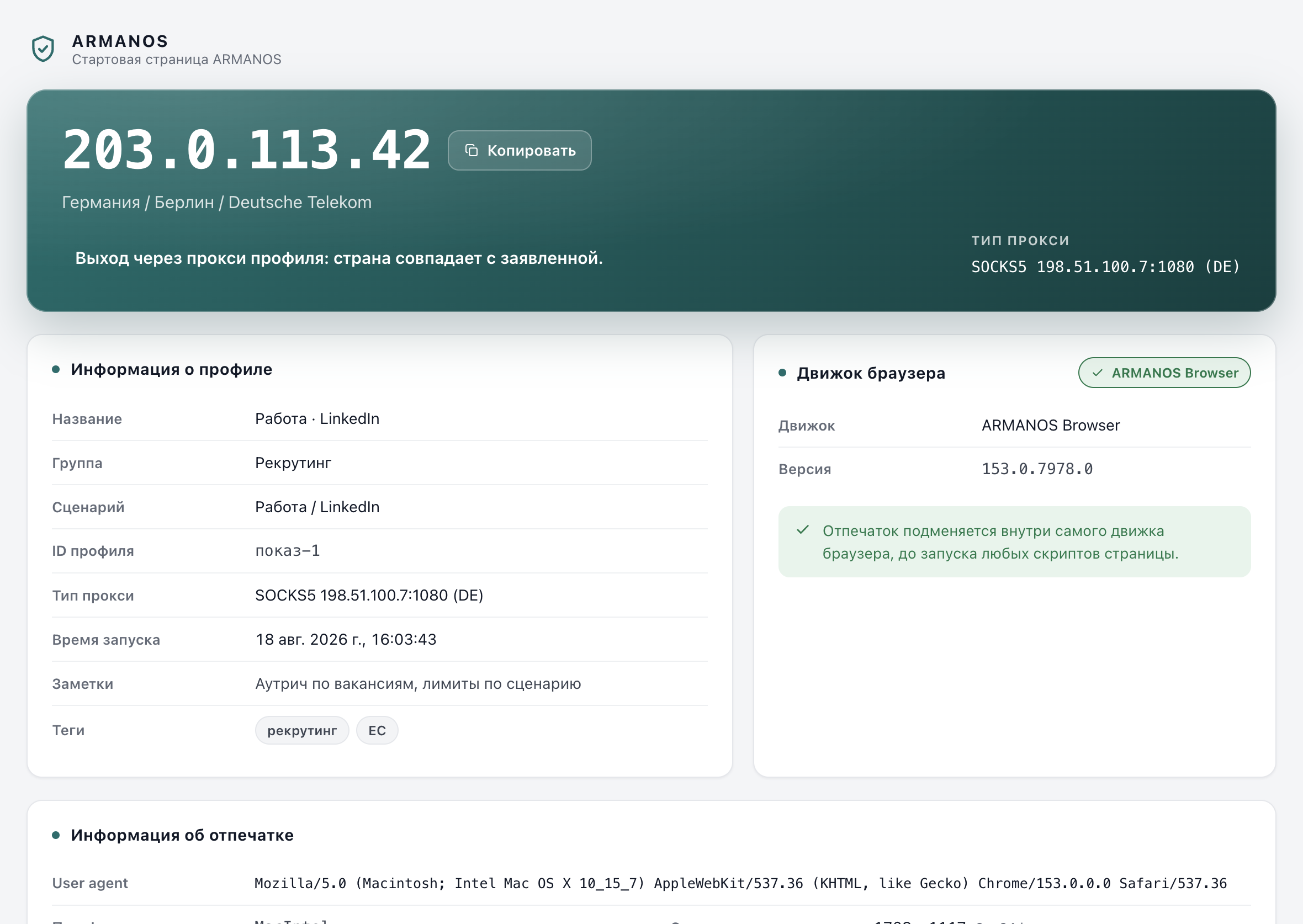
Launch and read the start page
It names the exit address, the country and city, the engine and the device the browser was handed.
What the scenario fills in
The scenario is chosen once and decides six things at once.
Opening address
https://www.amazon.com, unless the profile's own Opening address field is filled in.
Injected scripts
Fingerprint and stealth. Tracker and link work happens at the network layer instead.
Tracker list
31 domains cancelled at the request level: analytics, session recorders, crash reporters.
Link cleaning
On. 40 tracking parameters come off the address, among them utm_source, fbclid, gclid and _ga.
Daily page ceiling
120 at full pace, reached on day seven.
Fingerprint template
Not forced. One of five: macOS, Windows, Linux, Android phone, Android tablet.
Seven platforms and what a profile carries
The seven platforms below are the names the defaults were chosen against. They are names, not connections: nothing here reads your orders or publishes a listing.
| Platform | Kind | What one profile usually carries |
|---|---|---|
| Amazon | Marketplace | One seller login, its marketplace country, its payout account |
| eBay | Marketplace | One seller account and the feedback attached to it |
| Etsy | Marketplace | One shop, its listings and its buyer conversations |
| Walmart | Marketplace | One seller account for one country |
| Shopify | Store platform | One store admin, or one client store you manage |
| WooCommerce | Store platform | One site admin standing behind one store |
| BigCommerce | Store platform | One store control panel |
The first week is a ramp
A new profile does not get the full ceiling on day one. Seven fixed fractions, 0.2, 0.35, 0.5, 0.65, 0.8, 0.9 and 1.0, apply to the page count and to every row of the Safe daily ceiling section.
Warming up also means giving the profile something to remember. When you run it, the Cookie robot browses ordinary public sites from its pool in that profile, in its own order per profile, and none of them asks for a login.
New listings
Day one to full pace
2 → 10Listing edits
Day one to full pace
8 → 40Buyer replies
Day one to full pace
6 → 30Review requests
Day one to full pace
8 → 40Account switches
Day one to full pace
1 → 2
| Day | Share of the ceiling | Pages |
|---|---|---|
| Day 1 | 20% | 24 |
| Day 2 | 35% | 42 |
| Day 3 | 50% | 60 |
| Day 4 | 65% | 78 |
| Day 5 | 80% | 96 |
| Day 6 | 90% | 108 |
| Day 7 | 100% | 120 |
Fifty stores from a spreadsheet
Your accounts already live in a table somewhere. Column names are matched by meaning rather than letter by letter, so Name, Название and profile name all reach the same field.
The import runs in two steps on purpose. The mapping, the unrecognised columns and the first five profiles are shown before anything is created.
- Name
- Etsy, home goods, UK
- Group
- Etsy
- Proxy
- http://198.51.100.10:8080:user:password
- Template
- Windows
- 2FA
- JBSWY3DPEHPK3PXP
- Tags
- etsy, uk
- Notes
- Payout account 3
The seven columns of the example file the app writes for you. Add an eighth named Scenario with the value shopping in every row, or the imported profiles land on Privacy.
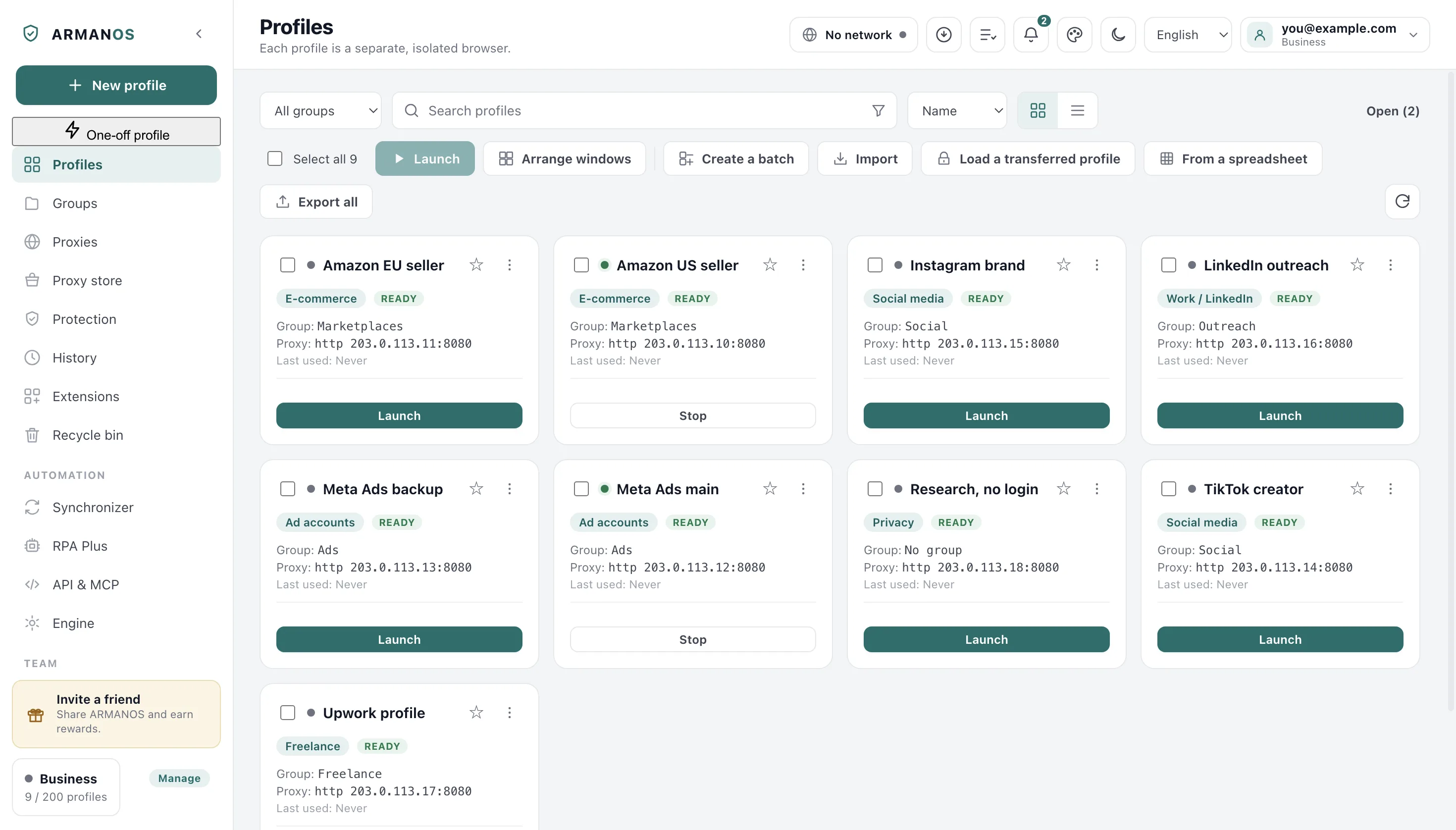
What Safe pace counts
The counter counts top-level navigations in that profile's windows. Relaunching on the same day does not clear it, and midnight by this computer's clock starts you at zero.
The bar turns amber at 80 percent of today's ceiling and red at 100 percent. Nothing closes, nothing is refused, nothing is reported anywhere.
Counted
Pages opened in the profile today, per profile, resetting at midnight by this computer's clock.
Not counted
Listings, edits, buyer replies, review requests, account switches.
Why not
A browser cannot tell a page where you published a listing from a page where you read one.
Where the numbers come from
Numbers we set ourselves, raised as the profile ages. Our recommendation, not a published platform rule.
The counter is guidance, not a gate
What this does not do
- It does not bring back a suspended seller account. A fresh profile is a fresh browser, not a fresh company, and marketplaces verify documents, bank accounts and addresses that no browser touches.
- It does not count your selling actions. The five rows of the Safe daily ceiling section are numbers on the profile card. The only thing measured is pages opened in the profile today.
- The numbers are our recommendation, not a platform rule. No marketplace publishes its thresholds, and they change.
- There is no connection to any of the seven platforms. No API, no order reading, no listing publication. The scenario sets defaults and ceilings, nothing more.
- The spreadsheet import does not set the scenario unless your file has a column for it. The example file the app writes has no such column, so imported rows arrive as Privacy profiles until you change them.
- Payment separation is your discipline. The app isolates sessions, proxies and stored passwords. It does not issue cards and does not warn you that two profiles share a payout account.
How to check
Every number on this page comes out of a file you can open, and most of them are guarded by a stand that executes the real product code.
- The E-commerce scenario is exactly these settings and ceilings
- packages/shared/src/index.js (SCENARIOS.shopping)
- The ceilings ramp over seven days, and a ramped ceiling never rounds down to zero
- packages/shared/src/index.js (WARMUP_RAMP, warmupLimit) · apps/desktop/src/main/main.js (paceInfoFor, actionLimitsFor)
- The counter counts pages, not listings, and resets daily
- apps/desktop/src/lib/pace.js · apps/desktop/src/main/browser-preload.js
- A spreadsheet becomes profiles and groups
- apps/desktop/src/lib/profileImport.js · apps/desktop/test/csv-import.js · apps/desktop/test/csv-import-groups.js
- Bulk launch spaces logins with a random pause
- apps/desktop/src/manager/renderer.js · apps/desktop/test/запуск-не-залпом.js · apps/desktop/test/очередь-запуска.js
- The proxy country sets the timezone and the language stack, and the start page says so when the exit is your own address
- apps/desktop/src/lib/exitGeo.js · apps/desktop/test/exit-geo.js · apps/desktop/test/leak-verdict.js
Questions
- Does a card saved in one profile reach another?
- No. Cookies, storage and the browser's own autofill belong to one profile and never cross. The same real card behind two accounts is still one card.
- How many profiles can be open at once?
- The number is computed from your memory: three gigabytes reserved for the system and one per browser, held between four and thirty-two. You can set it by hand: the Browsers at once field on the Engine screen.
- Does bulk launch sign fifty accounts in together?
- No. Logins are spaced randomly between 3 and 14 seconds, and when the open-browser limit is reached the queue waits for a free slot.
- Whose age does the day counter show?
- The age of the ARMANOS profile. The app has no way to know when the seller account behind it was opened.
- Which timezone does a country with several get?
- For the US, Canada, Australia, Brazil, Mexico, Indonesia and Russia, a profile created by the current generation of the fingerprint generator gets one of them, chosen from its own id. It stays the same on every launch and every machine you sign in from.
Read next
Proxies
The library, the country check, rotation, and what a profile does when its exit dies.
How it works
Profile, fingerprint, proxy and engine, in the order they happen at launch.
Import
The spreadsheet, the column matching and the two-step preview before anything is created.
Check every claim
Every promise on this site: where it is in the code and what proves it.
Two profiles cost nothing
The Free plan gives you two profiles, every scenario and a proxy per profile. That is enough to run one real store next to one test and see whether the pace fits how you work.