Вашою мовою цієї сторінки поки немає. Ви читаєте англійський текст.
Comparisons
Moving from another antidetect browser
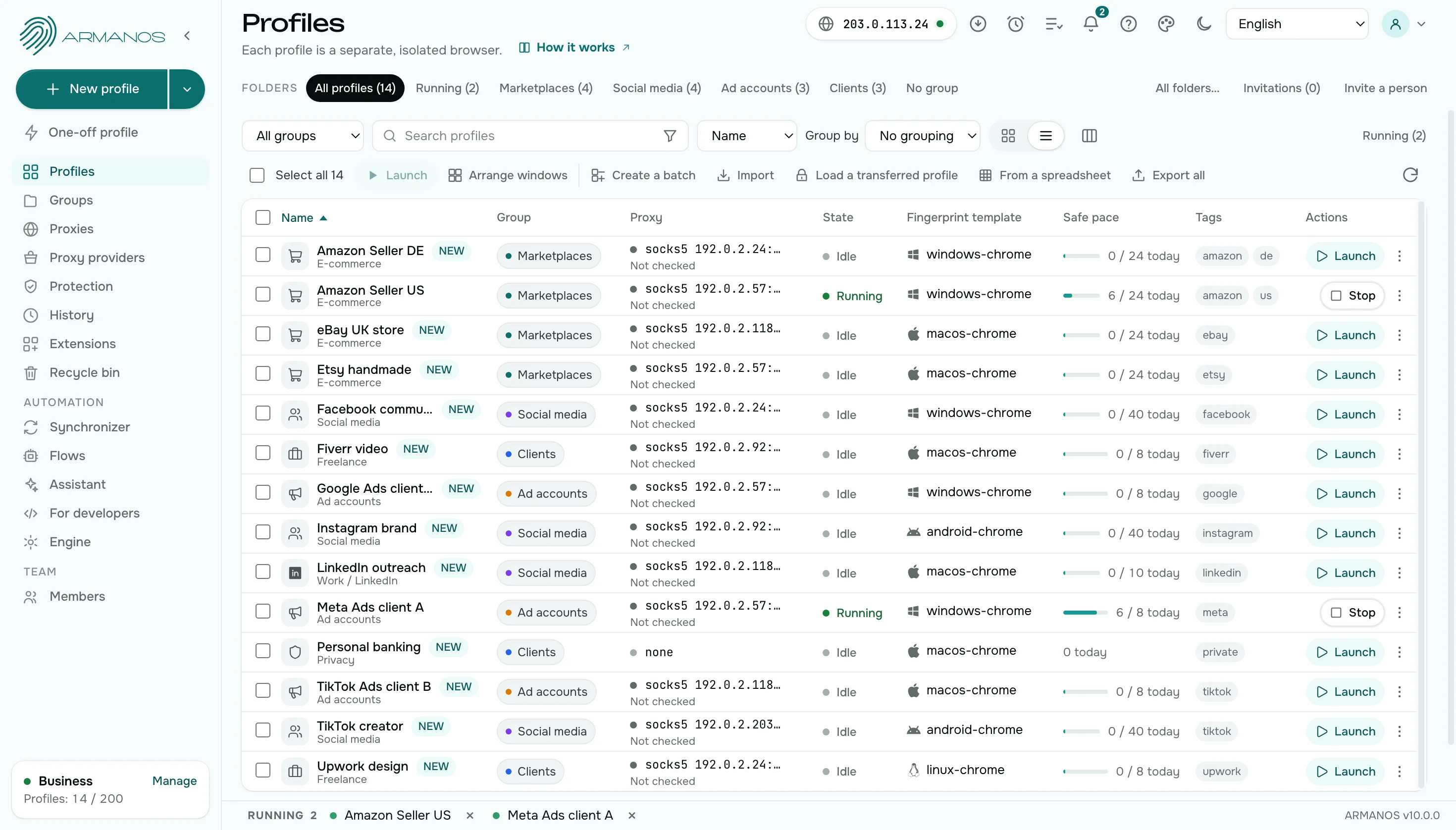
What moves over and how
Ten things you bring with you, and the way each one comes in.
| Rebuilding by hand | ARMANOS | |
|---|---|---|
| Profiles | Created one at a time | From a spreadsheet or pasted rows |
| Cookies and sign-ins | Every account signs in again | Import cookies, JSON or Netscape |
| Proxies | Typed into each profile | One pasted list, each address kept once |
| Device | Set value by value | A template and a ready device |
| Team | Access handed out again | Roles and profile groups |
| Routine work | Scripts written again | Scenarios from a form and a local API |
| Groups and tags | Set again, one profile at a time | Columns for group and tags fill them in one pass |
| Two-factor keys | Moved key by key | The key column is recognized by its name, all keys in one pass |
| Names | Typed one by one | A template with a number, a date or a random word |
| Checking the result | Sign in and see | Test proxy and the free fingerprint check before the first sign-in |
How to move in five steps
- 1
Click From a spreadsheet
Have your table of accounts ready, pick the file and click Choose file.
The From a spreadsheet window. Pick your table. - 2
Check the columns
ARMANOS shows what every column turned into. Click Create profiles.
The preview. Check the columns, then click Create profiles. - 3
Paste your proxies
Open Proxies and click Paste a list.
The Proxies screen. Click Paste a list. - 4
Import cookies
Choose Import cookies in the profile menu, paste or pick the file and click Import.
The cookie window. JSON and Netscape files both work. - 5
Launch the first profile
Click Launch, press Test proxy, then open the Fingerprint window and click Test fingerprint.
The Fingerprint window. Click Test fingerprint.
Profiles
Rebuilding by hand
Every profile is created again, one window at a time.
ARMANOS
From a spreadsheet builds profiles from a CSV or Excel .xlsx file. Column names are read by meaning, in several languages, and the preview shows which column became which field before anything is created.
Proxies
Rebuilding by hand
Addresses are copied by hand into every profile.
ARMANOS
Paste a list reads lines in the shapes other antidetect browsers use, such as login:password:host:port. Each address is stored once, and the list shows how many profiles use it.
Pasted rows
Rebuilding by hand
A table has to be saved as a file before anything can read it.
ARMANOS
Paste text turns rows copied from Excel or Google Sheets into profiles with no file at all.
Team and groups
Rebuilding by hand
Everyone asks for access to the old accounts again.
ARMANOS
Invite colleagues with a role: owner, administrator, manager, operator or member. Profile groups decide who sees which accounts.
Routine work
Rebuilding by hand
Scripts written for the old program stop working.
ARMANOS
Build the routine again as a scenario from a form, or drive profiles from your own code with Puppeteer and Playwright.
The first check
Rebuilding by hand
You learn how a new profile looks only after you have signed in.
ARMANOS
Press Test proxy to see the exit country and city, and open the free fingerprint check in the profile to read its device values before the first sign-in.
Two-factor keys
Rebuilding by hand
Keys are copied one by one from the old program or from a phone.
ARMANOS
The key column is recognized by its name, and all keys land in their profiles in one pass. The One-time code item then shows the current code in the profile window.
What you get
Profiles from a table
A CSV or Excel file becomes profiles in one pass, with a preview of every column.
Cookies kept
Sessions arrive with the file, so accounts open already signed in.
Proxies in bulk
Paste the whole batch and every address lands in the library once.
A device per profile
Each new profile starts from a template: macOS, Windows, Linux, phone or tablet.
A team from day one
Colleagues join with a role, and profile groups keep accounts apart.
A free start
Two profiles with no time limit and no card, to try the move on two accounts.
When to choose ARMANOS
You are leaving a program you outgrew
Your accounts, cookies and proxies come with you.
You want to try before you move
Two free profiles let you test the move on two accounts first.
You run a team
Roles and groups are ready on the first day.
Questions and answers
- Can I bring my accounts without retyping them?
- Yes. A CSV or Excel .xlsx file with your accounts becomes profiles, and rows pasted from Excel or Google Sheets work too.
- Which cookie files does ARMANOS read?
- JSON and Netscape files, exports of other antidetect browsers among them, and files wrapped in Base64.
- Will my sign-ins survive the move?
- Cookies carry the sign-in. A site that tied the sign-in to the device may ask you to sign in once more.
- Do I need new proxies?
- No. Bring the proxies you have: paste them as a list and attach them to profiles.
- What does the free plan include?
- Two profiles with no time limit and no card, on the same engine as the paid plans.
- Will my groups and tags move?
- Yes. Columns for group and tags in your table fill them in when the profiles are created, and the preview shows the result first.
- Can I move in stages?
- Yes. Bring a few accounts first, check them with the free fingerprint check, and bring the rest when you are ready.