Bu sayfa henüz sizin dilinizde yok. İngilizce metni okuyorsunuz.
Solutions
Wallets and web3
- MetaMask, Phantom
- Wallet cards in the app
- up to 50
- Enabled per profile
- ARMANOS Browser 153.0.7978.0
- Where a wallet really works
- Manifest V3 only
- Standard
- 2
- Profiles on the free plan
A wallet per profile
A profile is a browser of its own: cookies, storage, user data folder and the proxy it leaves through belong to it alone.
Put one wallet in one profile and another in the next, and the sessions never meet. A site opened in one has nothing of the other to read.
| Approach | Keeps apart | Leaves shared |
|---|---|---|
| Two wallet extensions in one window | Nothing at all | One session, one device, one address |
| Two profiles of the same browser | The cookie jar | The machine underneath and the exit address |
| A second browser on this computer | Cookies and extensions | The same fonts, GPU and address |
| A virtual machine for each wallet | Almost everything | Gigabytes and an update cycle for every one |
| A profile for each wallet here | Session, storage, device, exit address | Your provider and any account you sign into |
The store id decides who sees it
An extension unpacked as a plain folder gets an id derived from that folder's path. The key from the store archive is written into the manifest instead, so it comes up under the id the store gave it.
A site or a wallet dialog looking the extension up by its known id finds nothing when the id is somebody else's.
The signature is checked first
The id inside the archive must equal the one you asked for.
The author key wins over the store key
A store archive carries two signatures; the author's gives the real id.
An extension with its own key keeps it
Rewriting it would change the id of something already working.
Manifest V3 or nothing
An older manifest is refused at install and again at launch.
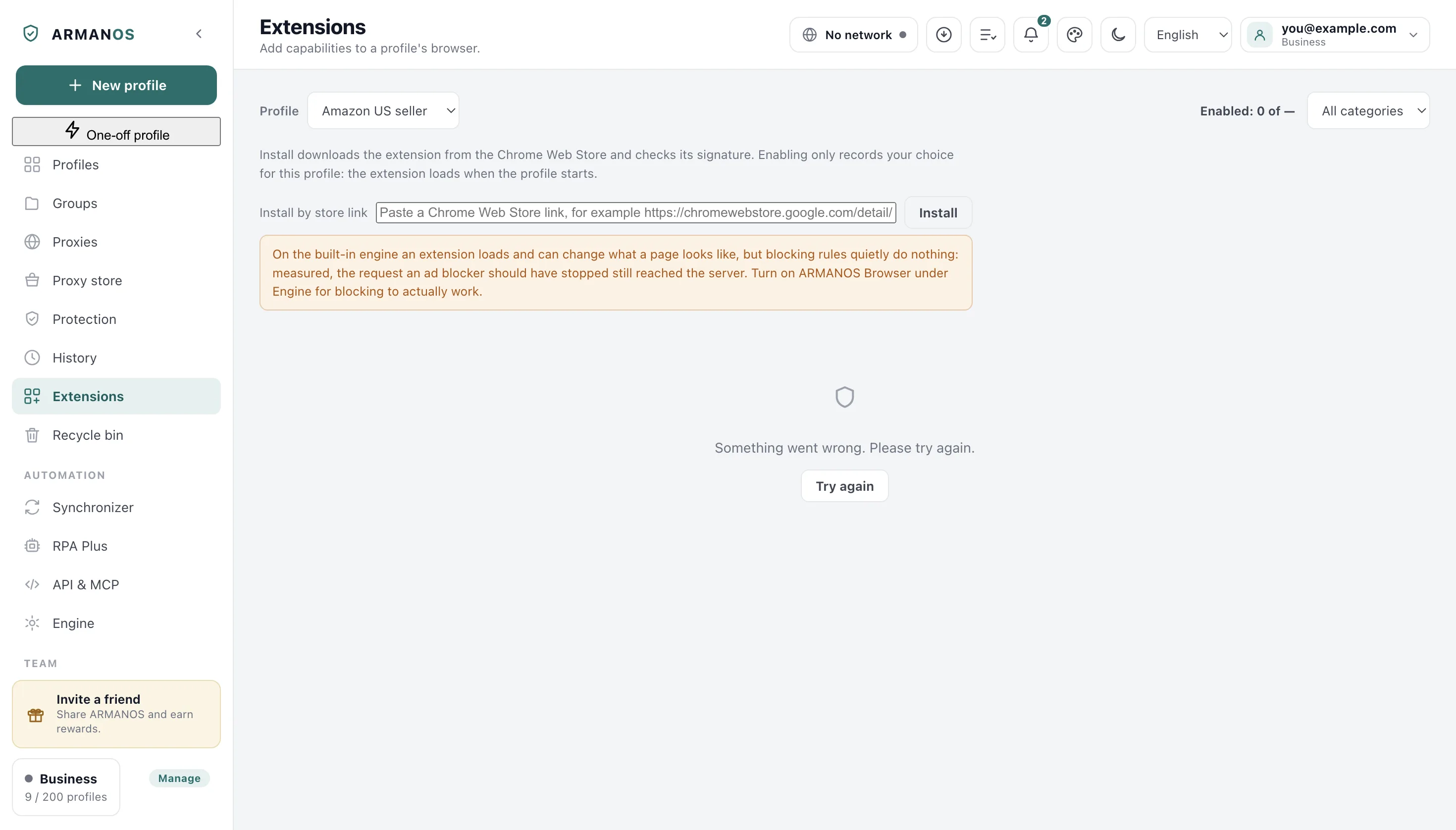
Which engine a wallet needs
Two engines sit under the app: ARMANOS Browser, our own Chromium build, and a built-in engine that takes over when the build is missing or will not start.
On the built-in engine a store extension loads, but it has no button or window, so a wallet cannot be opened there. The app names the engine that will really start, so a green switch never stands for a working wallet.
- Built-in engine, Chromium 130
- the blocking rule did not fire and the request reached the server
- ARMANOS Browser 153.0.7978.0
- the same request was blocked
- A theme extension on the built-in engine
- no styles inserted and the page did not change
Measured on both engines with one extension and one rule, and separately with a theme extension from the store. On ARMANOS Browser the profile starts with the extensions you switched on and nothing else.
What reaches your second computer
Which extensions are on belongs to the profile and travels with your account. The files do not: each computer downloads its own copy from the store.
So on the other machine the wallet installs again and you unlock it yourself. Its password is the extension's own business and never passes through us.
The on and off choice travels
Switched on at work, on at home, in the same profile.
A send that failed is shown
If the choice did not reach your account you see the failure, not a green result.
One version for every profile
Files sit in one folder, so profiles differ only in what is on.
The second step beside the profile
A profile can hold the two-factor key of the account it signs into and turn it into the current code in the same window. It is computed on your machine and no request goes out for it.
The file holding it can be read only by your account on this computer. The key itself is not encrypted, and that belongs here rather than in a surprise later.
Where a platform says one account
An exchange that checks who you are asks for one account per person, and that rule belongs to the exchange. We sell no way around it and no page here offers one.
Making accounts in bulk to collect a distribution is a different thing again, and platforms treat it as an offence of its own. What is left is the honest half: one account, one profile, nothing shared.
What this does not do
- Where a platform checks who you are it asks for one account per person, and we sell no way around it. No page here offers several accounts on an exchange, and bulk accounts made to farm a distribution are not work we take.
- There is no scenario called crypto. The app carries no wallet start page, no tracker list for wallet sites and no daily ceilings for this work, so the profile you make is an ordinary one.
- Extension files do not travel with a profile. On the second computer the wallet installs again and is unlocked there, and we hold no copy of a wallet password.
- The two-factor key is not encrypted on disk. File permissions close it to other users on macOS and Linux; on Windows only the user profile folder does that.
- We sell no proxies and run no exit network of our own. The Proxy providers screen in the app lists other people's networks, and Request access there is a written request with no payment attached.
- The installers are not signed today. Anyone keeping money behind a browser extension should read that before the download rather than after.
How to check
Every claim above has a file behind it and a stand that fails when it stops being true.
- Both wallets are in the catalog, and every card really installs
- packages/shared/src/index.js · apps/desktop/test/catalog-installable.js
- The store id survives the install
- apps/desktop/src/main/main.js · apps/desktop/test/ext-keeps-store-id.js
- The switch belongs to the profile, and a failed send is shown
- apps/desktop/src/manager/store.js · apps/desktop/test/ext-choice-travels.js
- On the built-in engine the rule does not fire and the app warns
- apps/desktop/src/manager/store.js · apps/desktop/test/extension-limits-honest.js
- The file with the two-factor key is owner-only
- apps/desktop/src/lib/secureFile.js · apps/desktop/test/secrets-on-disk.js
- A problem report hides a field named like a seed phrase
- apps/desktop/src/lib/problemReport.js · apps/desktop/test/problem-report.js
Questions
- Will a wallet work without ARMANOS Browser?
- No: on the built-in engine an extension has no button or window, so the wallet cannot be opened. The app names the engine that will start.
- Does a separate profile make two wallets unrelated?
- Not on its own. It removes the reasons that live in a browser, while a funding path, a reused email or one phone number ties accounts together elsewhere.
- Can you see my seed phrase?
- No. It lives in the extension's own storage inside that profile, and a problem report from the app replaces any field named like a seed phrase before it leaves.
- Can two profiles run different versions of one wallet?
- No. The files sit in one folder shared by every profile here, so the version is the same and only the switch differs.
Read next
Extensions in two clicks
How a card becomes files and a switch.
Our browser engine
The Chromium build where extensions do their job.
Isolated profiles
What belongs to a profile and what it shares.
One-time codes inside the profile
The second step computed in the same window.
Multi-accounting
What a browser separates and what it cannot.
Give each wallet a profile of its own
The free plan gives two profiles and asks for no card. Put one wallet in each and open the same site in both.