ยังไม่มีหน้านี้ในภาษาของคุณ คุณกำลังอ่านข้อความภาษาอังกฤษ
Security and trust
Security and trust
- owner only
- Who can open a file holding someone else’s secret, on macOS and Linux
- AES-256-GCM
- How a session is encrypted before it enters your own cloud folder
- 24 hours
- How long the app keeps working with no server before it asks again
- 11018
- Automated checks: 1535 on the server, 8454 in the app, 1029 on this site
Your accounts live on your disk
Cookies, local storage, saved logins and the browser's own databases live in the profile directory on your machine. Nothing there is uploaded by itself.
You can open that directory yourself: ~/Library/Application Support/@armanos/desktop on macOS, %APPDATA%\@armanos\desktop on Windows, ~/.config/@armanos/desktop on Linux.
| Data | On your disk | On our server |
|---|---|---|
| Cookies, local storage, site sessions | ใช่ | – |
| A profile's login and password | ใช่ | – |
| A profile's one time code key | ใช่ | – |
| Browsing history, tabs, downloads | ใช่ | – |
| Profile settings: name, group, scenario, template, proxy | ใช่ | ใช่ |
| The session archive for a second machine | In your own cloud folder, encrypted | – |
File permissions work differently on Windows
Passwords on each system
On Windows the system seals the passwords in the app's own files with a key tied to your Windows account. On macOS they are sealed with a key that ships inside the program, and on Linux they are written as typed, so on both this does not protect against anyone who can read your user folder. Nothing on screen says so.
A key that ships inside a program is available to anyone who downloads it, and the macOS seal rests on exactly such a key.
What the server is told
While you are signed in, profile settings are mirrored so a second machine and your teammates see one list: name, group, scenario, template and generation, proxy, tags and notes.
What is absent matters more. Cookies never leave, nor the profile's login pair, nor its one time code key, nor a byte of the browser's databases.
The fingerprint is stored nowhere at all: it is derived at launch.
Your email and a hash of your password
The plain password is nowhere. Changing it signs out every other device at once and revokes your API keys.
Your machines
Name, system, last seen. Unlinking is remembered, so a machine cannot register itself again.
The history of your workspace
A new machine records the address it came from.
One sync row per profile and machine
When a session last went out or came in. No file names, no contents.
Plan, status and renewal date
Card details never reach our database.
A profile transfer to another account
The request and a random key to the transfer file, sealed with our key, until the recipient places the file and for 7 days after accepting at most. You send the file with the session to the recipient yourself, past the server.
Sessions travel through your folder
Cookies stay on the machine, so a second computer would mean logging into thirty accounts again. On the Engine screen, in Sessions on two computers, through a folder, you point the app at a folder something already synchronises, and one encrypted file per profile lands there.
The archive is encrypted with AES-256-GCM, and the key is stretched from your passphrase by scrypt with N=32768, r=8, p=1. The passphrase never enters the folder.
- 1
The profile closes
The app waits four seconds and checks it is still closed, because Chromium keeps writing.
- 2
The archive is written next door
It is renamed into place, so half a file never lands on a session that worked.
- 3
A meta file records size and time
A bundle still downloading counts as not ready.
- 4
The second machine pulls before launch
Same profile id, same fingerprint, and the cookies that came with it.
- 5
Both sides changed? Nothing is touched.
Two machines worked in parallel, and the app lets you choose.
One profile one open window
Two people on a team can reach for one profile at the same moment, and a site then sees one account live from two machines. That is the exact behaviour accounts get blocked for.
So the lock lives on the server, because two machines cannot see each other. It is held by time, so a machine unplugged from the wall frees its profile on its own.
- Lock lifetime
- 3 minutes from the last renewal
- Renewal
- every 60 seconds while the profile is open
- Release
- immediately when the last window closes
- A start is refused when
- the profile is open elsewhere, the machine is unlinked, the seat is gone or the quota is spent
- Without an account
- no lock, and profiles are local to this machine
The identifier of an installation is random, created once and kept in the data folder. Two fresh laptops that carry the same name are therefore two machines, not one.
Two steps at the door
Your password is stored as a bcrypt hash at cost 10 and never in plain form. Ten wrong attempts close the account for 15 minutes, and the same counter covers the second step.
The arithmetic of the second step is written here rather than taken from a library, because a library on the road to your password updates itself one day.
- Password
- bcrypt, cost 10
- Wrong attempts
- 10, then 15 minutes closed
- Second step
- TOTP, 30 seconds, 6 digits
- Recovery codes
- 10, stored as SHA-256 only
- Ticket between the steps
- 5 minutes, its own signing key
- Access token
- 15 minutes, dies at once when its session is ended
- Refresh token
- 30 days, rotated, reuse revokes the family
- Sessions
- seen and ended one by one or all at once
- Sign-in handed from the site to the app
- one code, 2 minutes, dies with the session that asked for it
- Entitlement re-check
- every 5 minutes while online
- Offline grace
- 24 hours
- Renewal grace
- 3 days past the stored date
A clock wound backwards does not extend the offline window: a check dated in the future counts as no check at all.
A password on a single profile
The password closes actions in ARMANOS. It does not encrypt the profile on disk.
Before a closed profile is opened, edited, exported, sent to the sync folder, deleted, copied or shared, the app, the Dashboard and the local API ask for it. Our server keeps a scrypt hash, not the password, and the pass it hands out after a correct password is signed with its own key and lives 15 minutes.
The owner and admins of your workspace can reset it, and the reset is logged. Three wrong passwords in a row close the profile for an hour for the person who typed them, not for the whole team.
- Kept on the server
- scrypt hash, N 2^16
- Wrong in a row
- 3, then an hour for that person
- Wrong across profiles
- 10 an hour, then an hour
- Pass after a correct password
- 15 minutes, its own signing key
- Files on disk
- not encrypted
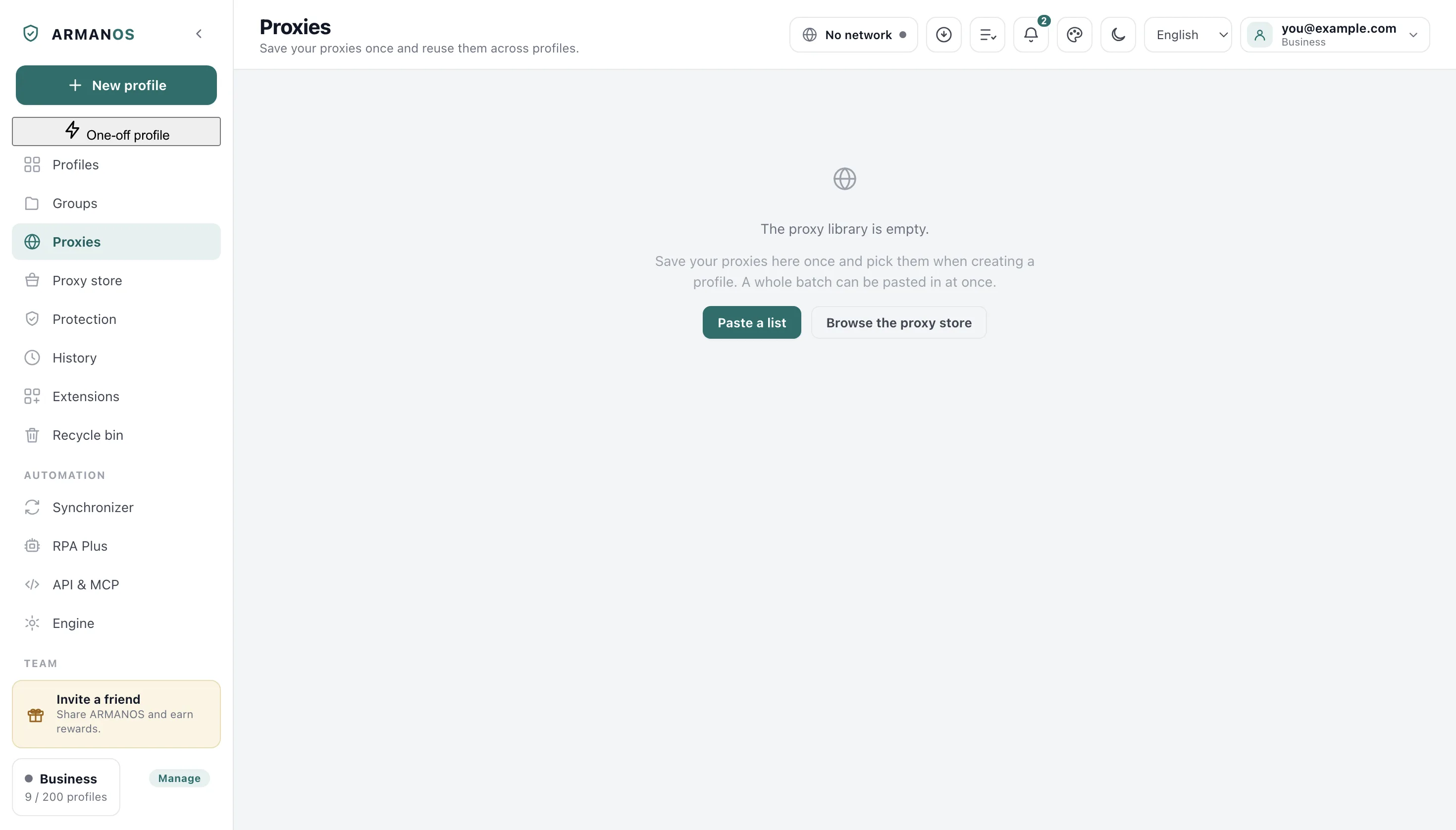
Where the proxy password goes
A command line is readable by every process running under your account, and residential traffic is bought by the gigabyte. So the password never goes there.
A small bridge runs on 127.0.0.1 instead: it speaks to the browser without a password and to your proxy with one. Measured on the shipped 153.0.7978.0 build: a login inside the proxy address makes zero requests, the same proxy behind the bridge makes 13.
The bridge takes connections from loopback alone and asks for a one time pass from the profile's own extension.
The proxy rule covers every scheme, and WebRTC is closed at launch unless a profile is set to the Real mode; an extension with the privacy permission can reopen it. The leak tool here shows the addresses this browser hands out; whether WebRTC goes past the proxy, the app measures in Network > Run diagnostics.
An exit through your own server is never bridged
The automation door stays shut
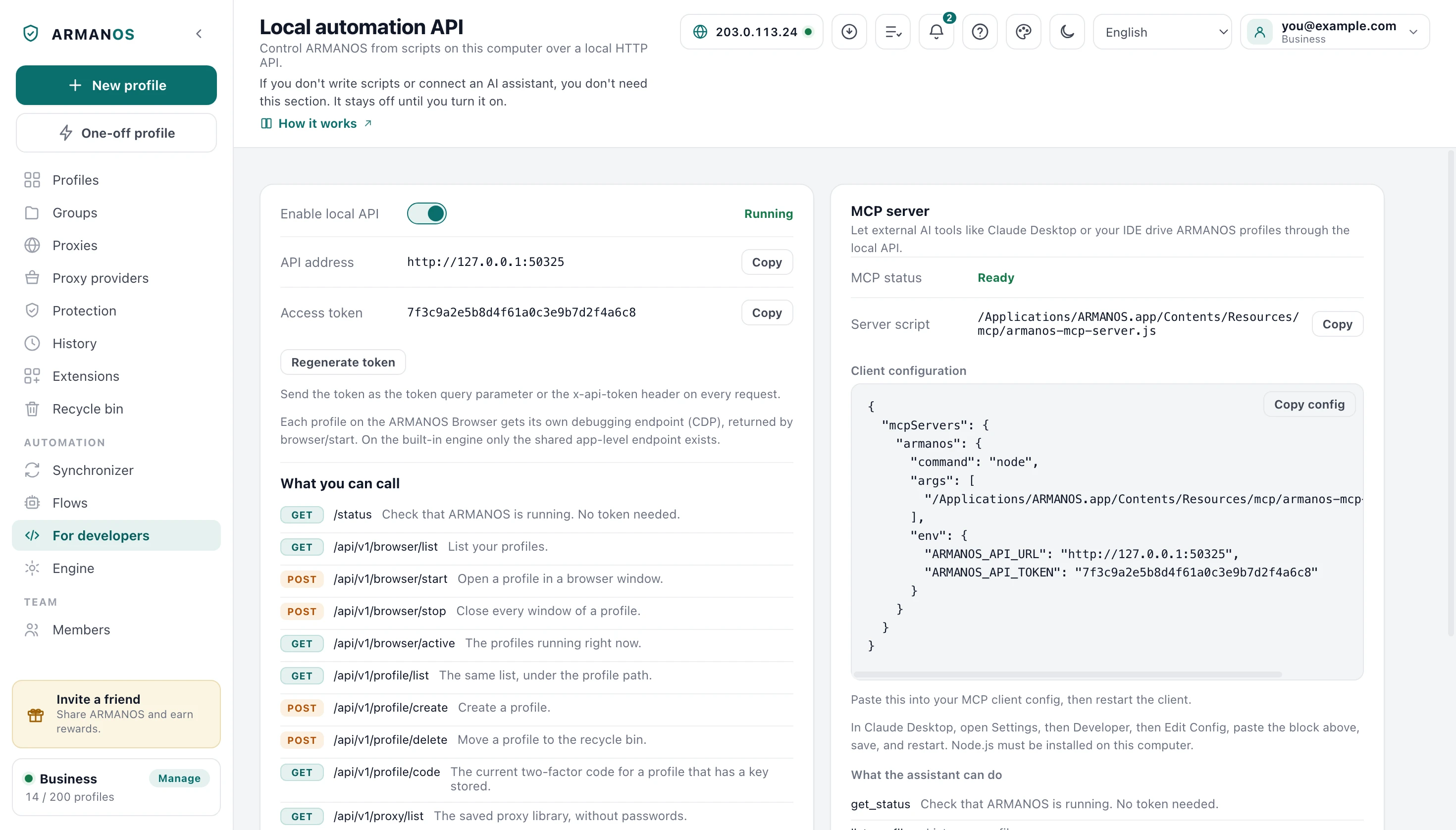
The app can be driven by scripts through the local API over HTTP. It is off until you switch on Enable local API on the For developers screen, binds to 127.0.0.1 only, and every call except status carries the access token from that screen.
Loopback alone is not enough: a page you visit reaches 127.0.0.1 from your own browser, and under a rebound name it reads the answers as same origin. So a request with browser-only headers or a foreign host is refused.
Measured on this engine: opening the debugging port sets navigator.webdriver true, and the launch flag clears it.
What we do not collect
There is no analytics in the app and none on this site. No tag manager, no session recorder, no crash reporter phoning home, no foreign script.
A problem report is assembled locally and goes nowhere until you press send. Anything that looks like a secret is removed by field name, and the name stays so you see it was there.
The exit country check
A public address service over HTTPS, through that profile's own proxy.
The engine feed
Update checks over HTTPS, installed only when the checksum matches.
Our own server
Profile settings, entitlement, team and support, while you are signed in.
Support, once you press send
Your message travels with the scrubbed report.
Free tools and closed doors
The free tools here measure inside your browser and make no requests. The site is served with the doors closed, and the headers below go out on every response.
| Header | Value | What it prevents |
|---|---|---|
| Strict-Transport-Security | max-age=31536000; includeSubDomains | A first visit over http that someone could intercept |
| Content-Security-Policy | default-src 'self', connect-src our API | A foreign script, frame or destination |
| X-Frame-Options and frame-ancestors | DENY and 'none' | Your dashboard shown inside someone's page |
| X-Content-Type-Options | nosniff | A file's type guessed and run as a script |
| Referrer-Policy | strict-origin-when-cross-origin | A dashboard address leaking to sites you open |
| Permissions-Policy | camera=(), microphone=(), geolocation=() | A request for hardware this site never needs |
Deleting is deleting
Deleting a profile stops its browser first. A running Chromium keeps writing into a directory that no longer has an owner, and on Windows a live process holds its files open.
Then everything keyed to that profile goes with it: the browser directory, its extensions, its schedules, its counters and the launch entries in the notification file.
The Delete permanently button in the recycle bin clears the encrypted archive from your folder too, so no second machine brings the profile back.
What this does not do
- It does not promise that you cannot be identified. What is built here is isolation and a device that stays consistent. A site can still judge you by behaviour, by the account's own history, or by the reputation of the address you come out of.
- The builds are not code signed or notarized yet. macOS and Windows warn on the first run, and you have to allow the app by hand.
- File permissions for the owner alone are real on macOS and Linux. On Windows the data folder is protected by the user account it sits in, not by permissions on each file.
- The passphrase for the sync files is kept on your machine: sealed by the system on Windows, sealed with a key that ships inside the program on macOS, and written as typed on Linux. Automatic upload cannot ask you at every profile close, and the screen says so.
- Two machines writing to the sync folder at the same moment make the cloud leave a second copy under its own naming rather than choose a winner. Those copies are recognised and reported to you, and leftovers older than an hour are swept.
- The site's policy still allows our own inline scripts, because the framework inlines them into every page. It is not the strictest form of that header.
- Without an account there is no lock between machines, and an unreachable server does not stop a launch. The lock protects you from a second window, not from a bad network.
How to check
Every claim above has a file that implements it and a stand that fails when it stops being true.
- Files holding secrets are written for the owner alone, and atomically
- apps/desktop/src/lib/secureFile.js · apps/desktop/test/secrets-on-disk.js
- Cookies and profile logins never go to the server
- apps/desktop/src/lib/profiles.js · apps/desktop/test/login-stays-local.js · apps/server/test/куки-и-входы-сервер-не-примет.js
- The proxy password never enters the command line, and an authenticated proxy works
- apps/desktop/src/lib/proxyAuthBridge.js · apps/desktop/test/proxy-auth-bridge.js · apps/desktop/test/мост-принадлежит-профилю.js
- A session travels encrypted, and deleting clears it from the folder too
- apps/desktop/src/lib/sessionSync.js · apps/desktop/test/session-sync-folder.js · apps/desktop/test/purge-clears-cloud.js
- One profile, one open window
- apps/server/src/profiles/profiles.service.ts · apps/server/test/profile-lock.js · apps/desktop/test/profile-busy.js
- An ended session loses its access token, its refresh token and the sign-in codes it asked for
- apps/server/src/auth/сеансы.service.ts · apps/server/test/сеансы.js · apps/server/test/выданное-до-завершения.js
- The free tools on this site make no network calls
- apps/web/components/tools/FingerprintCheck.tsx · apps/web/test/инструмент-отпечатка.js · apps/web/test/тест-утечки.js
Questions
- What if I forget the passphrase for the sync files?
- Nothing on our side can open those archives: the passphrase never leaves your machine and never enters the folder. Set a new one, and every profile is sent again under it from the machine that still holds the sessions.
- Can your support staff open my profiles?
- No. Cookies, profile logins and one time code keys never reach the server, so there is nothing on our side to open.
- What can someone at my unlocked computer see?
- Everything the profiles hold, exactly as with any browser on that account. File permissions protect you from other accounts on the machine, not from your own.
- What does the workspace history actually record?
- Every hand out of a proxy password, every machine that registered with the address it came from, and every take over of a busy profile.
- Can I use the app without an account?
- Yes, and profiles then live on this machine alone: no lock between machines, no mirrored settings and no team.
Read next
Check every claim
Each promise on this site next to the file and the stand that hold it.
Profile password
What a password on a single profile closes, and what it does not.
A session on two computers
How the encrypted archive travels through a folder you already own.
Proxies
The bridge, the exit country, and what a profile does when the address changes.
ARMANOS Browser
The engine that carries the fingerprint, and what is patched inside it.
One time codes
Codes for a profile's own accounts, kept beside the profile on this machine.
Check it on your own machine
In the app, open a profile and look at the permissions on the files and the address in the command line. Two profiles are free and no card is asked for.